Park Street Post · Press
Read the turnover.
Hear it. Export what you need.
AAF Look and AAF Player are two native Mac utilities that let you read, check, hear and selectively export a picture-to-sound AAF before anyone commits to importing it into a DAW. Version 1.1 of both shipped on September 21, 2026.
From Park Street Post Software, founded by a working television re-recording mixer. They work offline, they never change your original AAF, and they both sell as one-time licenses with no subscription.
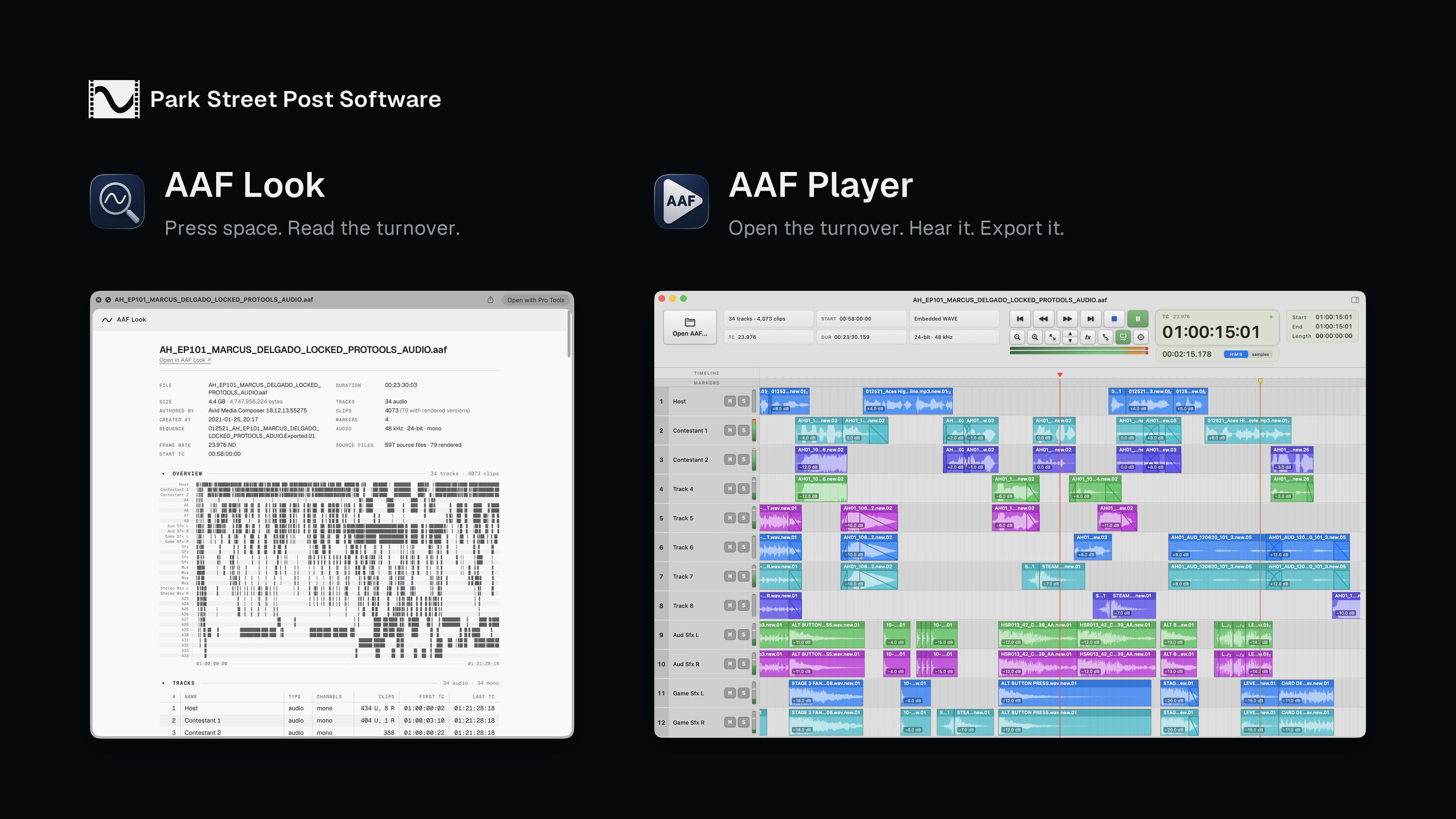
AAF Look
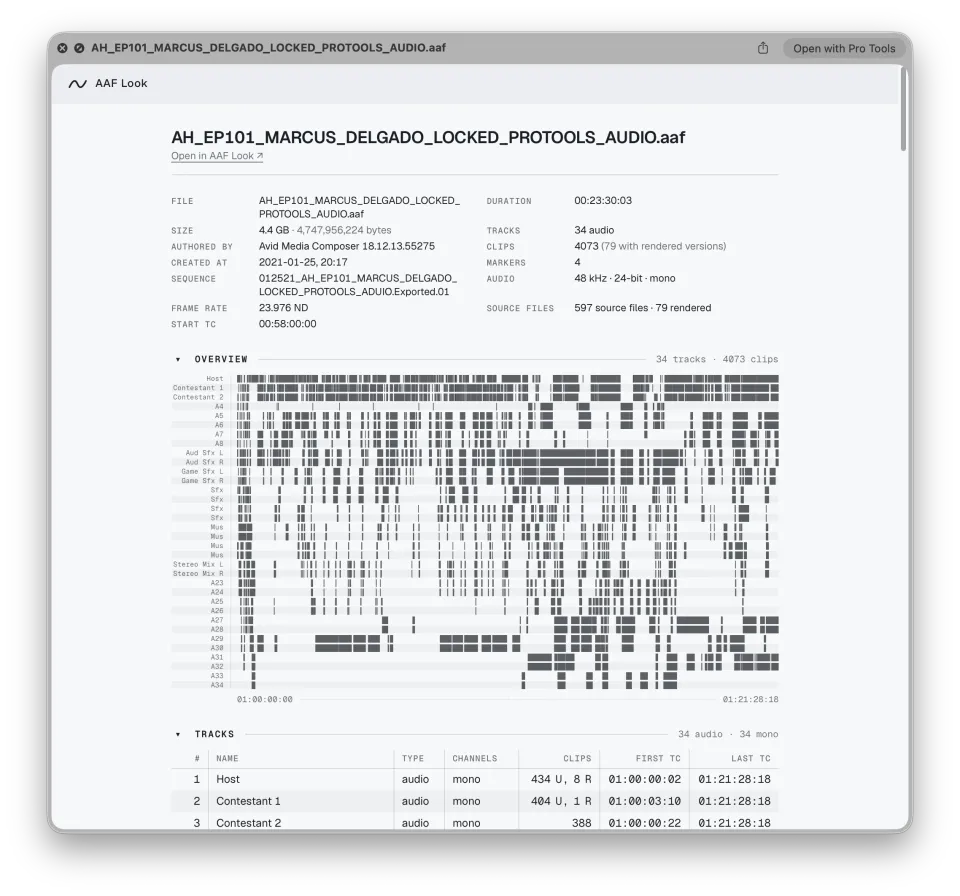
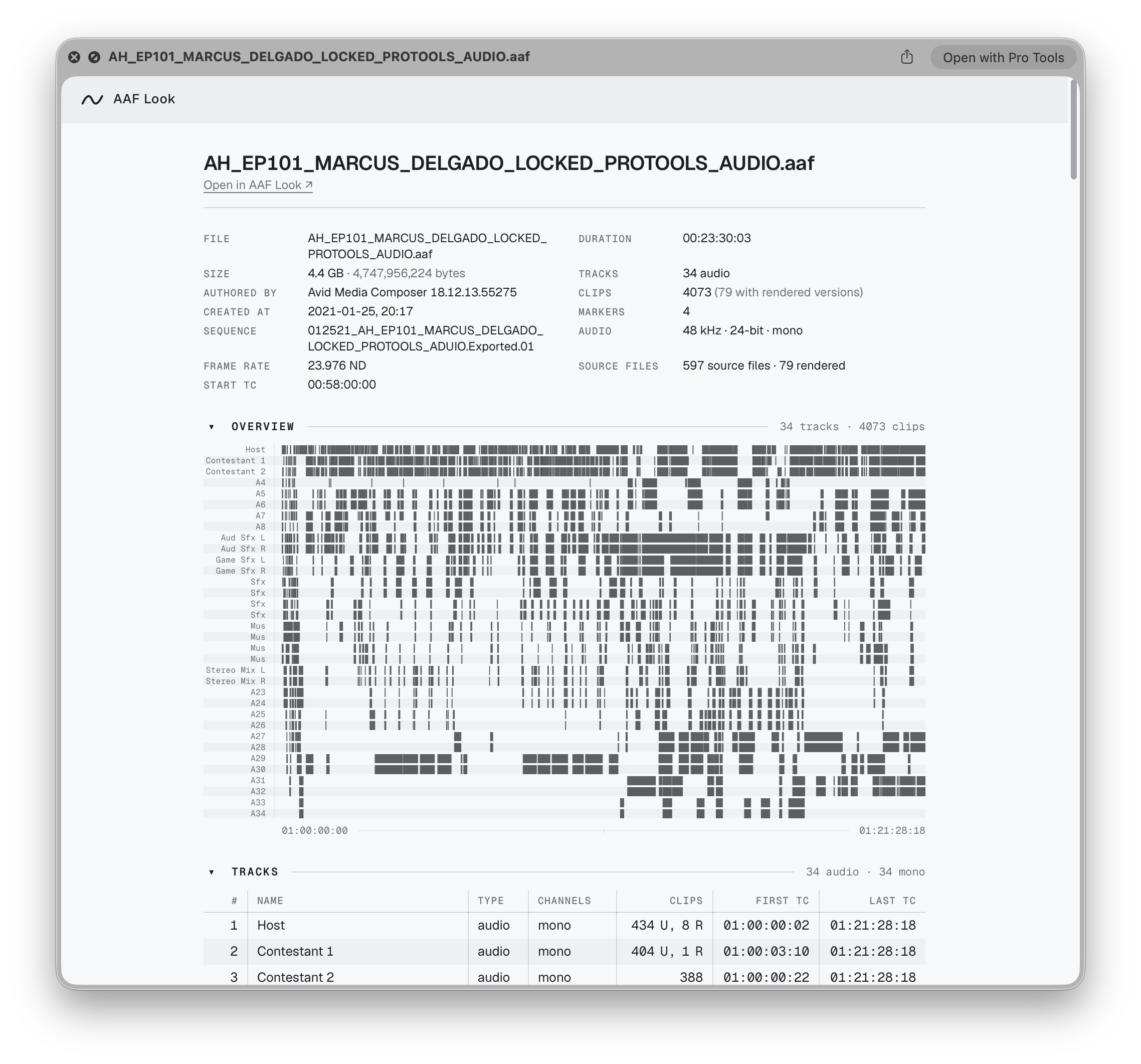
Select an AAF in the Finder, press Space, and read the turnover immediately.
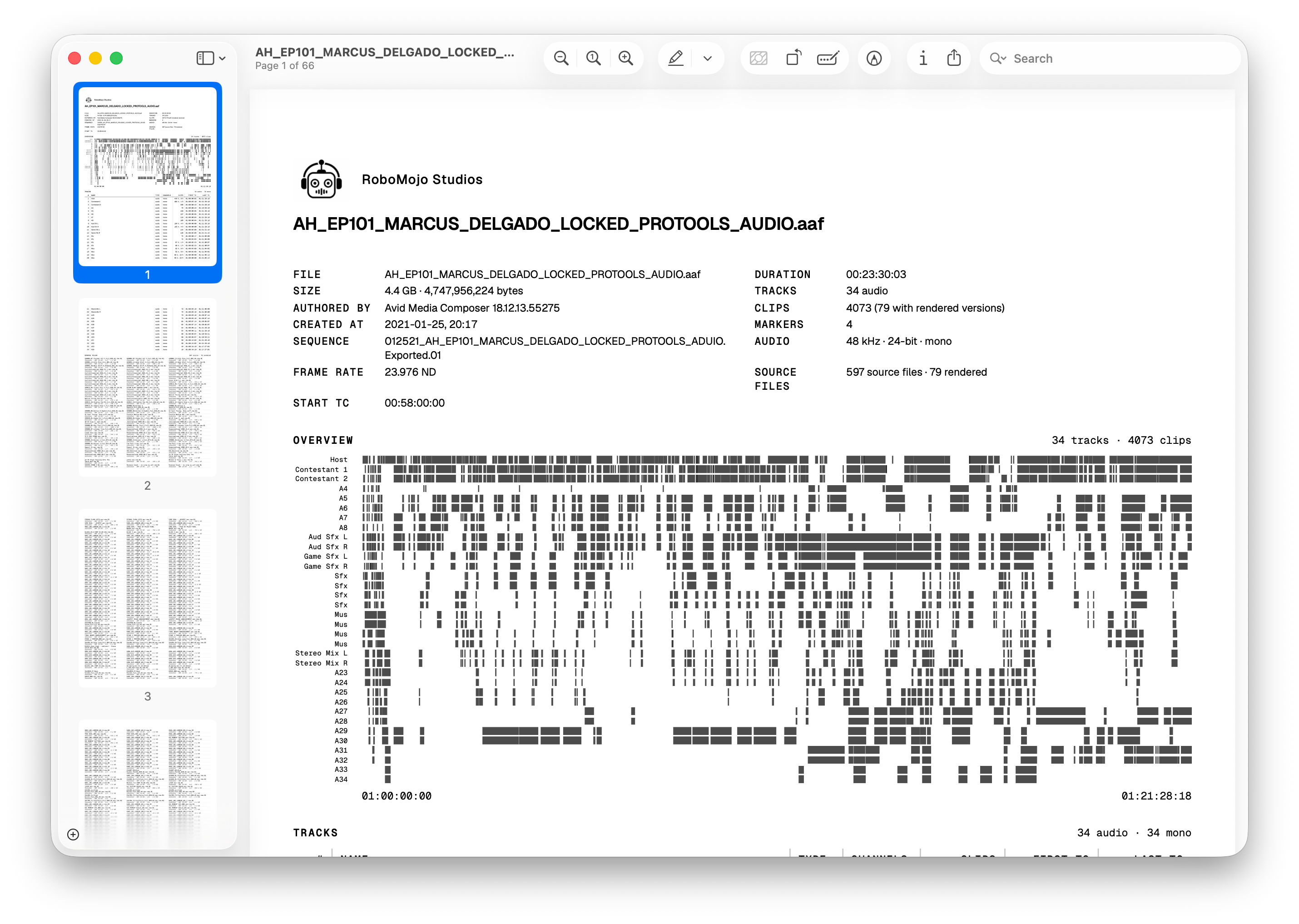
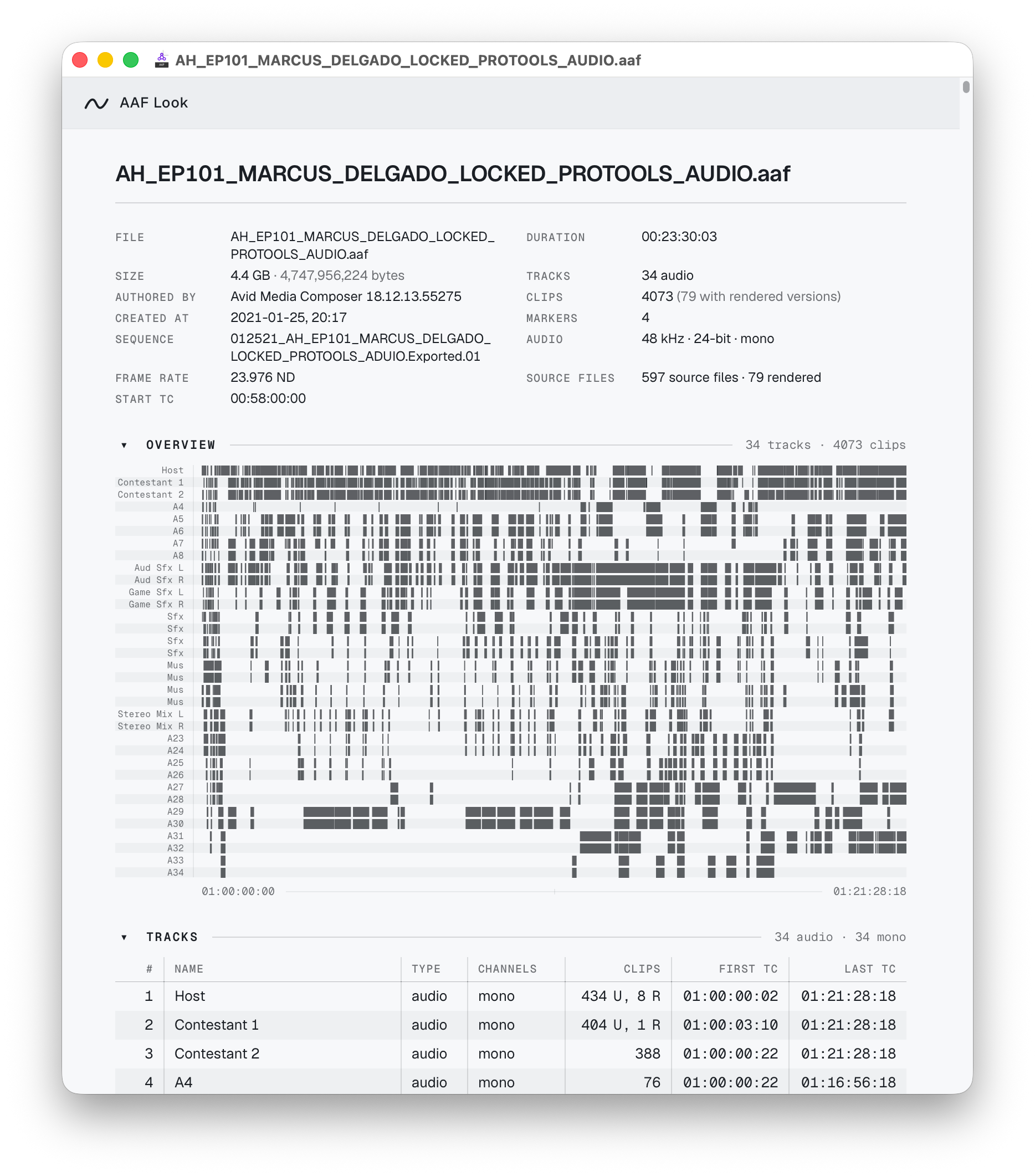
AAF Look reports tracks, clips, timecode, markers, source files, audio properties, and rendered media. Its Finder Quick Look preview keeps working permanently without a paid license. The application adds the complete report, section visibility and ordering, your own logo and company name on the report and PDF, printing, and PDF export. The 14-day trial is the complete app with every feature on; after that the app's abilities need the $20 license, and Quick Look carries on regardless.
- Version
- 1.1.0
- Price
- $20 one time
- Trial
- 14 days, complete app
- Requires
- macOS 14+, Apple silicon
Never modifies the AAF; no internet connection required.
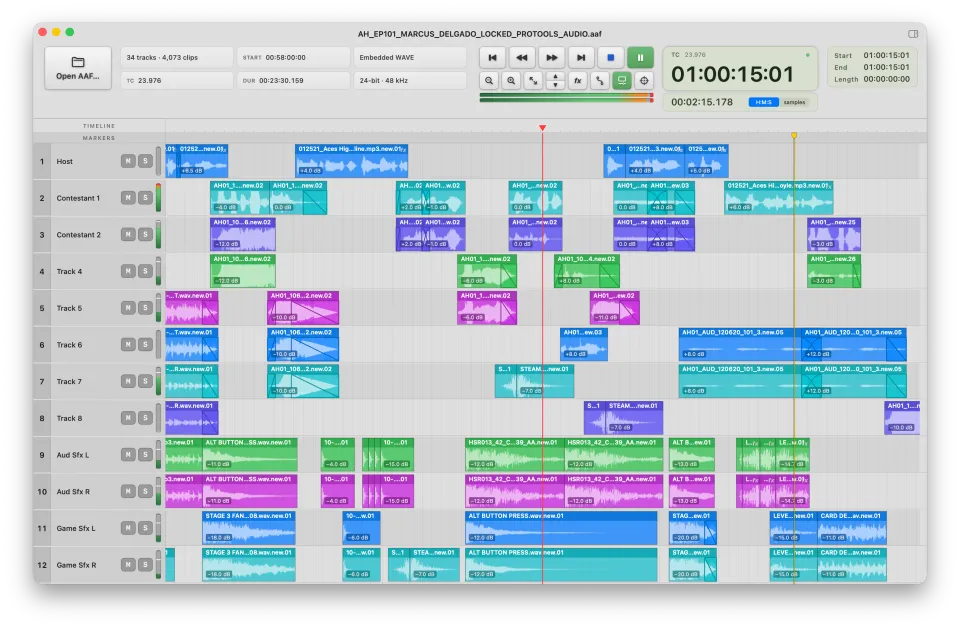
AAF Player
Open the AAF, hear it against picture, and export just the tracks or clips you need, without importing it.
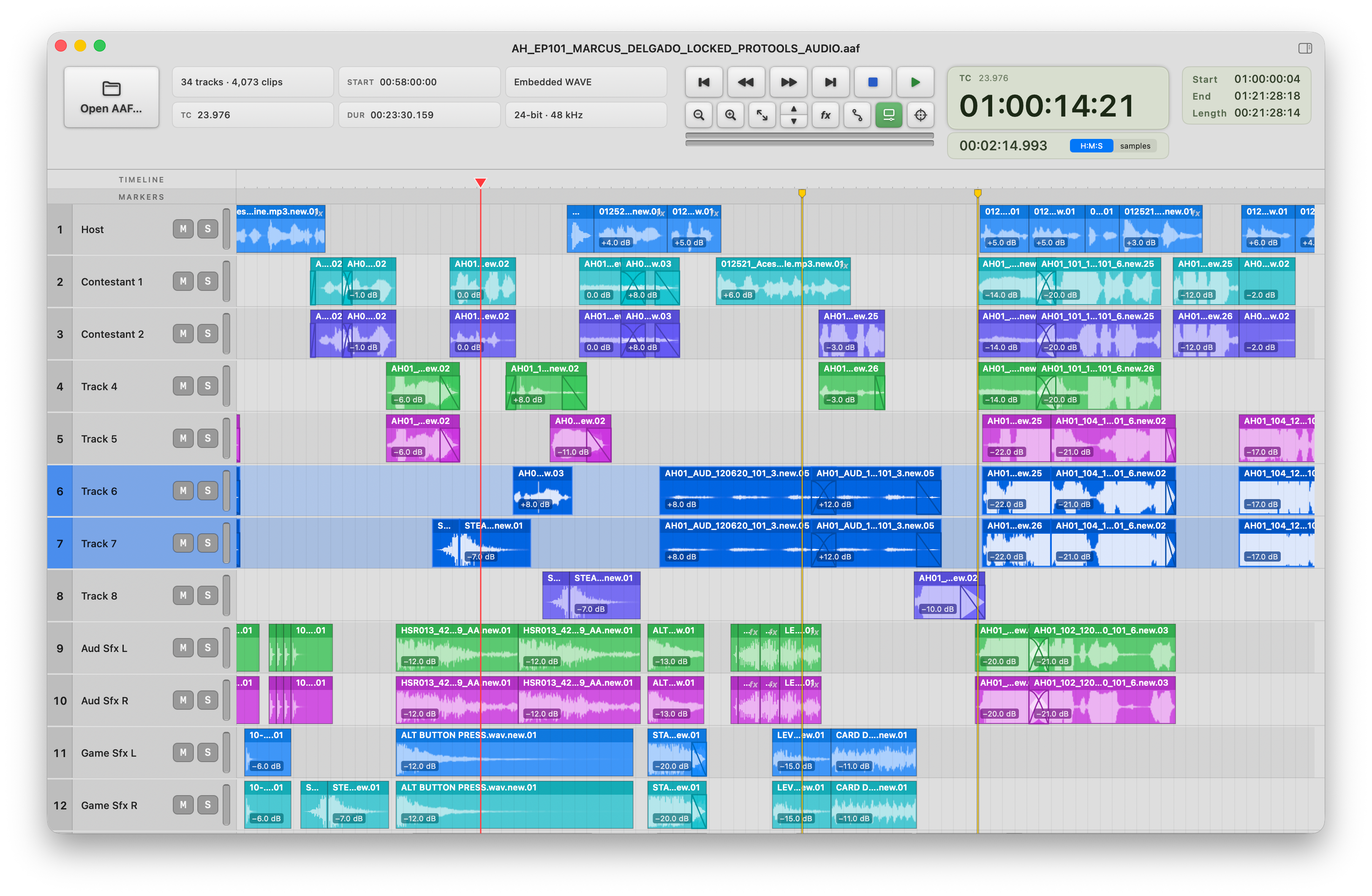
AAF Player opens the turnover on its own timeline with waveforms, fades, clip gain and automation, markers, metering, and clip and source details. It keeps reference picture in sync, lets rendered audio be compared with its dry source, and exports the tracks and clips you select as Broadcast WAVE files or a new AAF. It never changes the AAF you opened.
- Version
- 1.1.0
- Price
- $80 one time
- Trial
- 14 days, complete app
- Requires
- macOS 14+, Apple silicon
Never modifies the AAF; export writes new files; no internet connection required.
-
AAF Look reads and checks the turnover. AAF Player plays it and exports what you need. Download full resolution PNG · 3200 × 1800 · 1.5 MB -
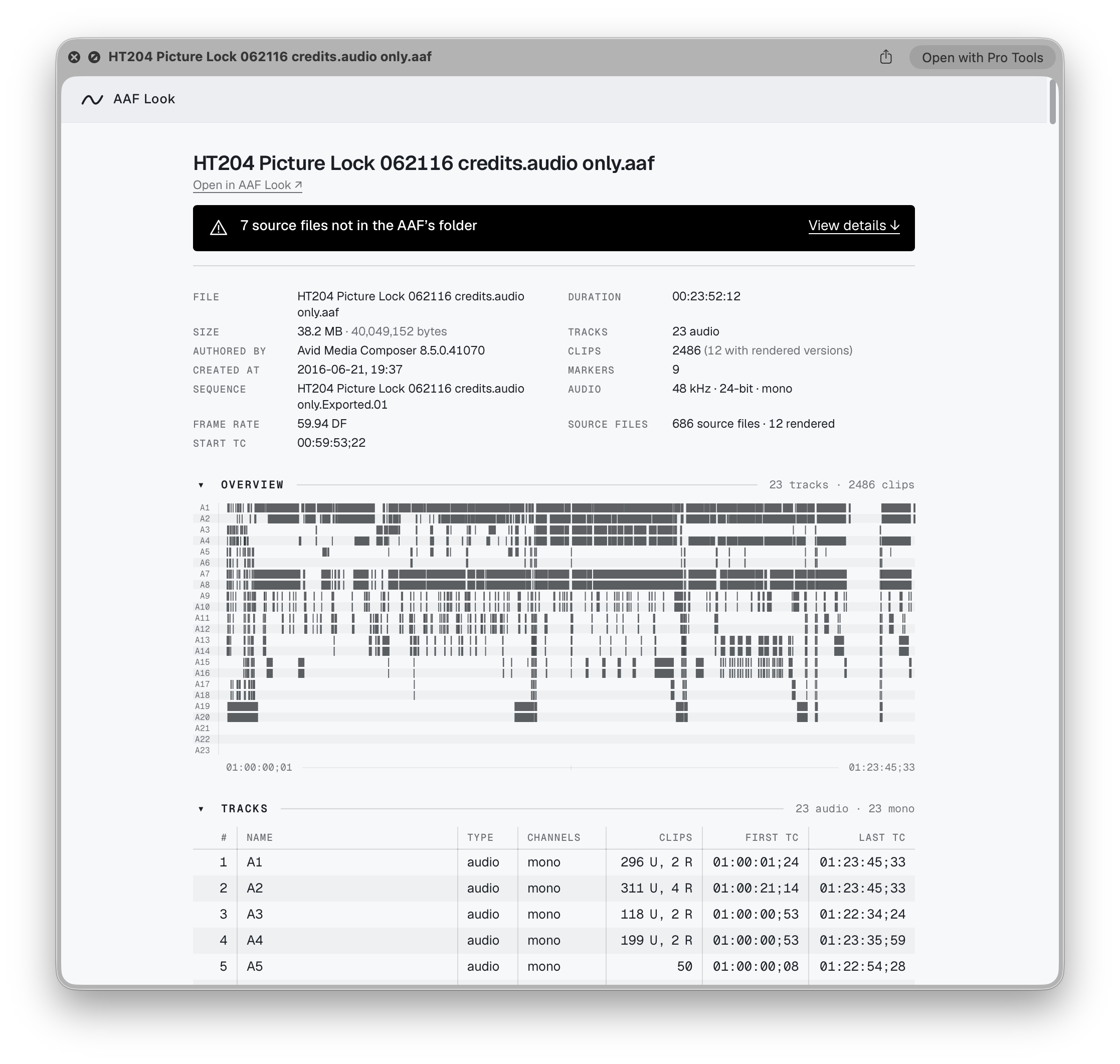
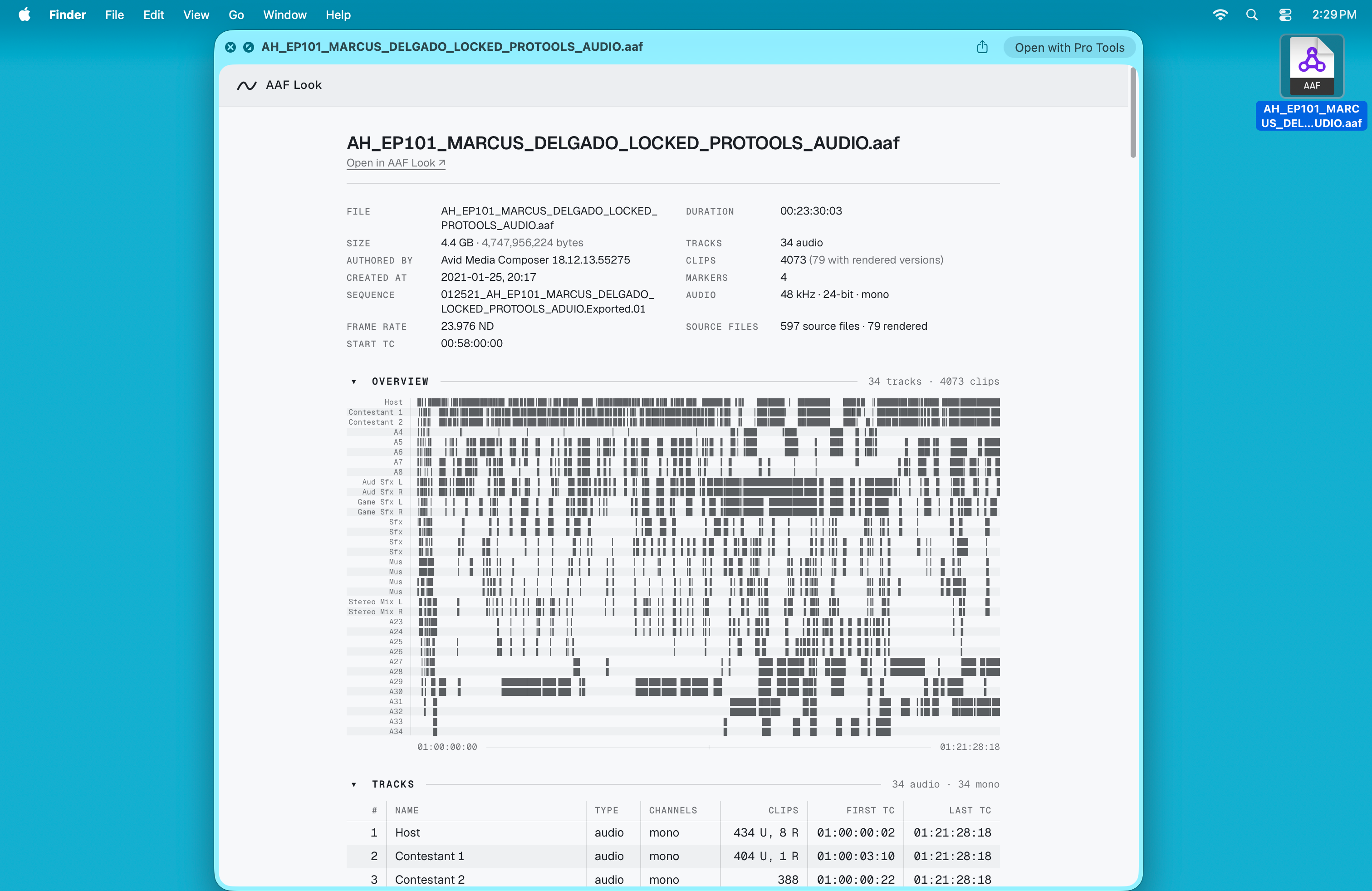
Press Space on an AAF in the Finder and AAF Look shows the whole turnover in Quick Look: file facts, a map of all 34 tracks, and the start of the track list. No app to open, and the Quick Look preview keeps working whether or not the app is licensed. Download full resolution PNG · 2276 × 2122 · 322 KB -
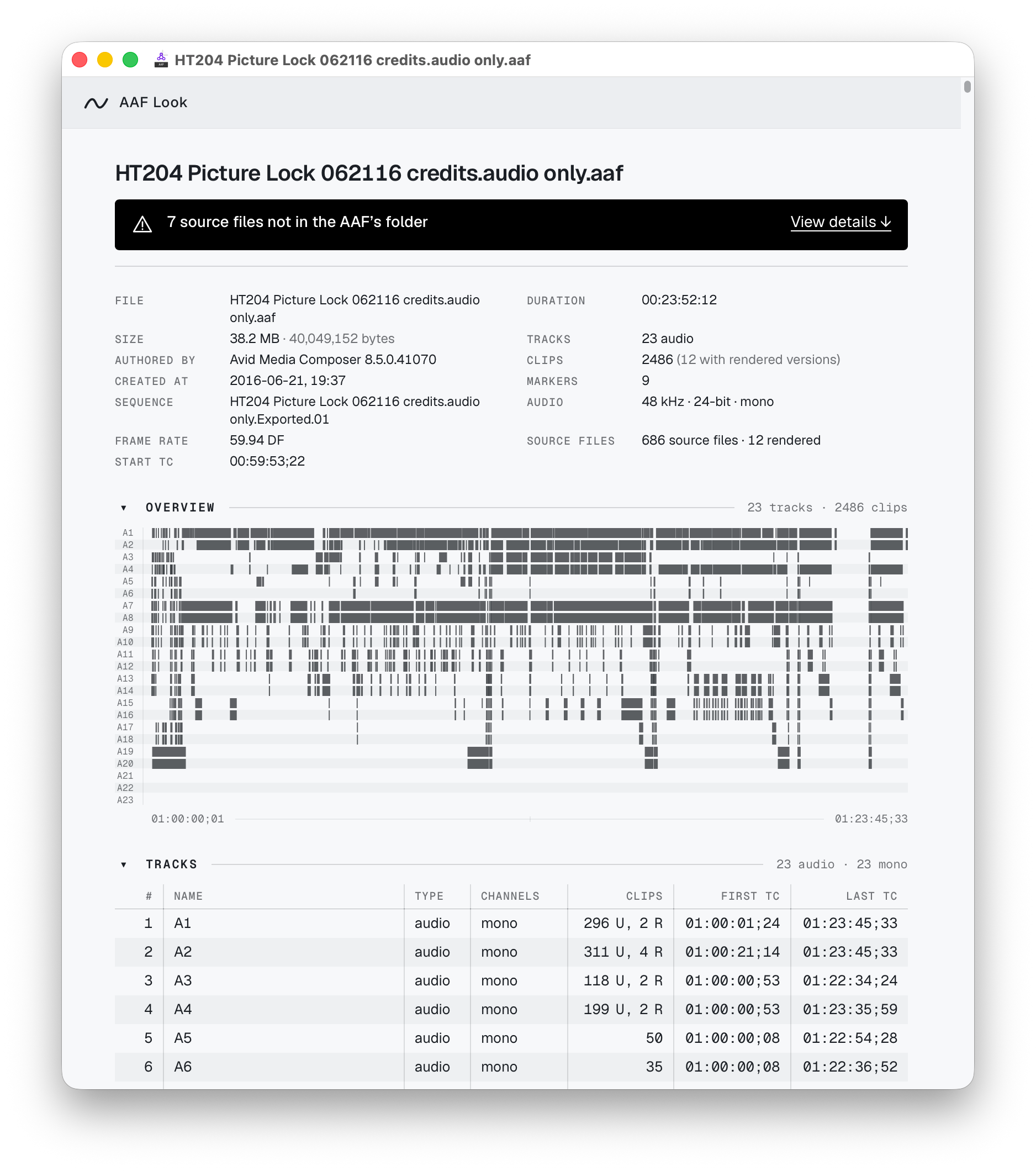
New in 1.1: when something is wrong, the Quick Look preview says so at the top, before anything has been opened. Here, seven source files did not arrive with a linked-media delivery. Download full resolution PNG · 2234 × 2122 · 310 KB -
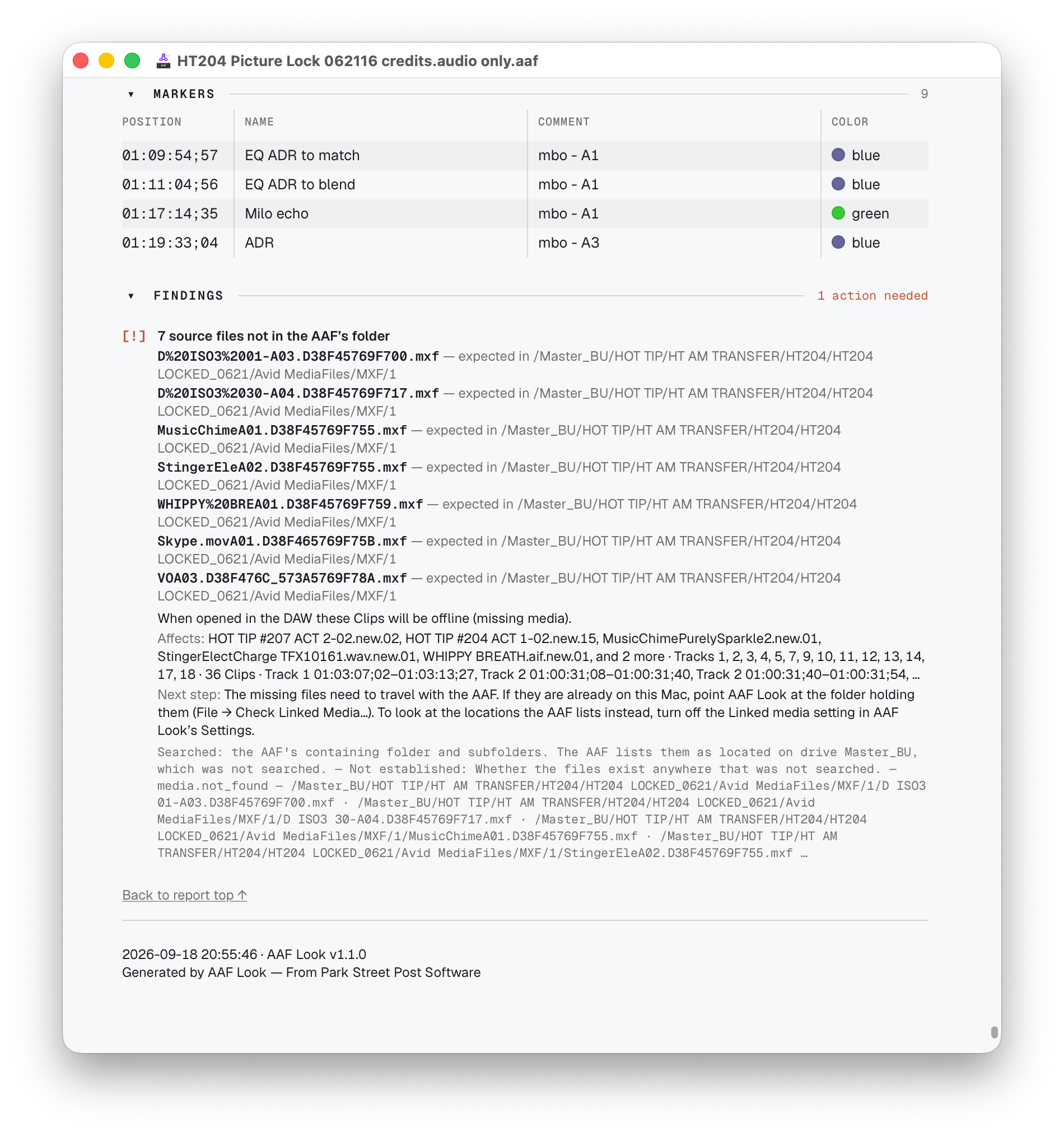
Findings names every missing file, where the AAF expected it, the clips and tracks that go offline without it, and the next step. Download full resolution PNG · 1900 × 2028 · 744 KB -
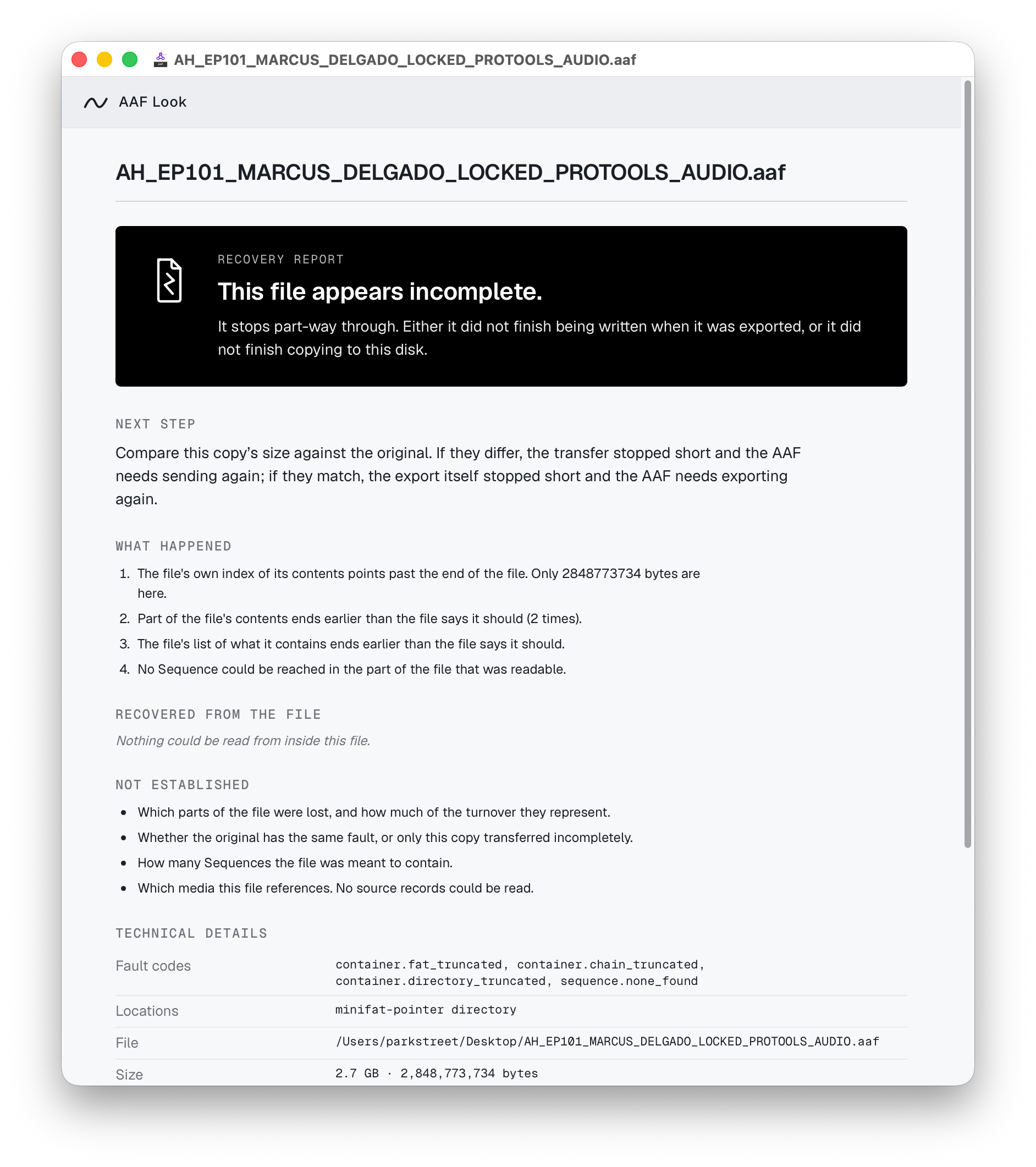
A copy of the 4,747,956,224-byte turnover that stopped at 60 percent gets a Recovery Report: what happened, what could be recovered, what could not be established, and what to do next. Download full resolution PNG · 1884 × 2122 · 505 KB -
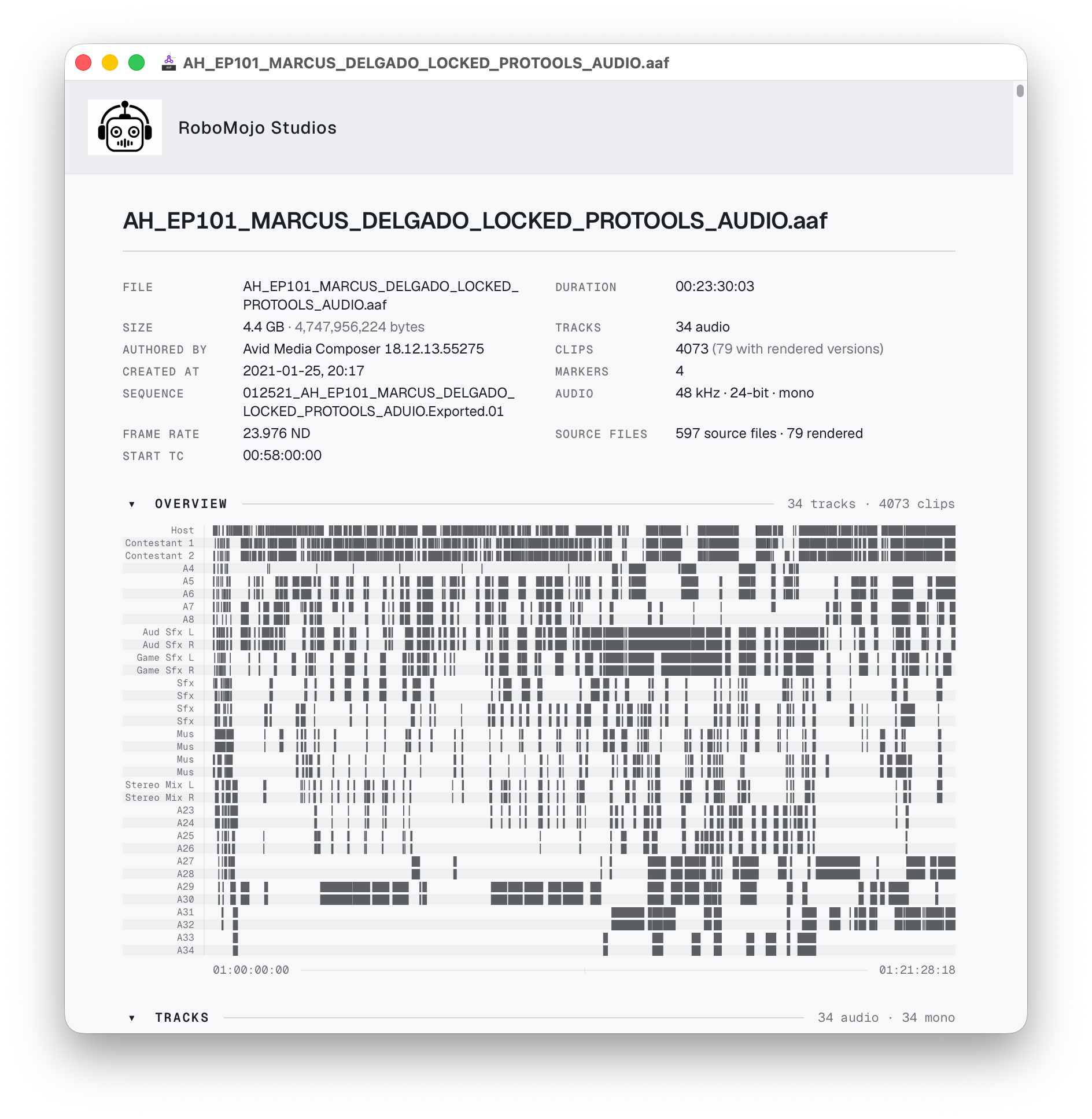
The report goes out under the sender's name. (RoboMojo Studios is a fictional facility.) Download full resolution PNG · 1888 × 1934 · 469 KB -
The branded report exported as a PDF: 66 pages for this turnover, ready to send with it. Download full resolution PNG · 2860 × 2034 · 1.1 MB -
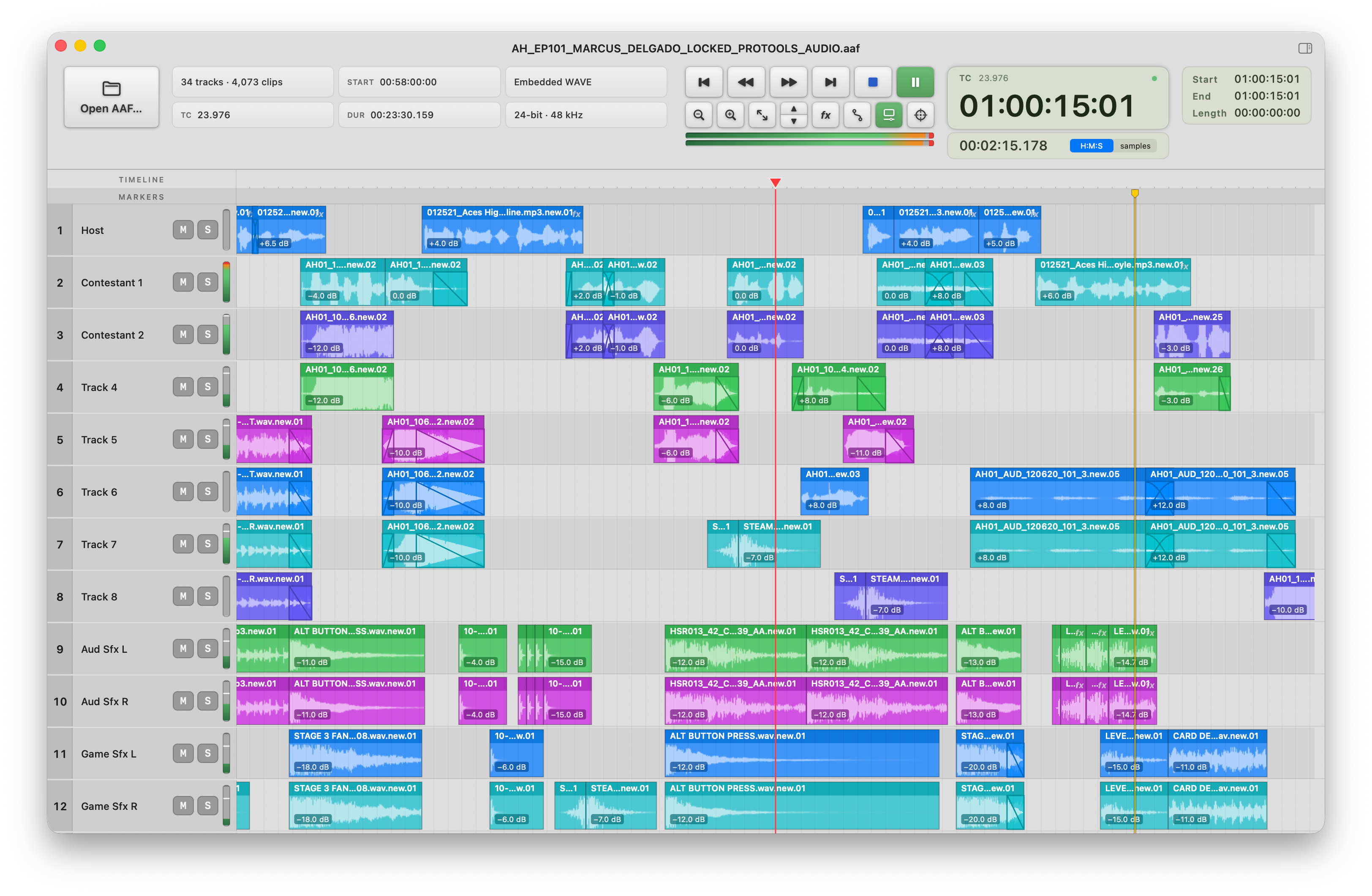
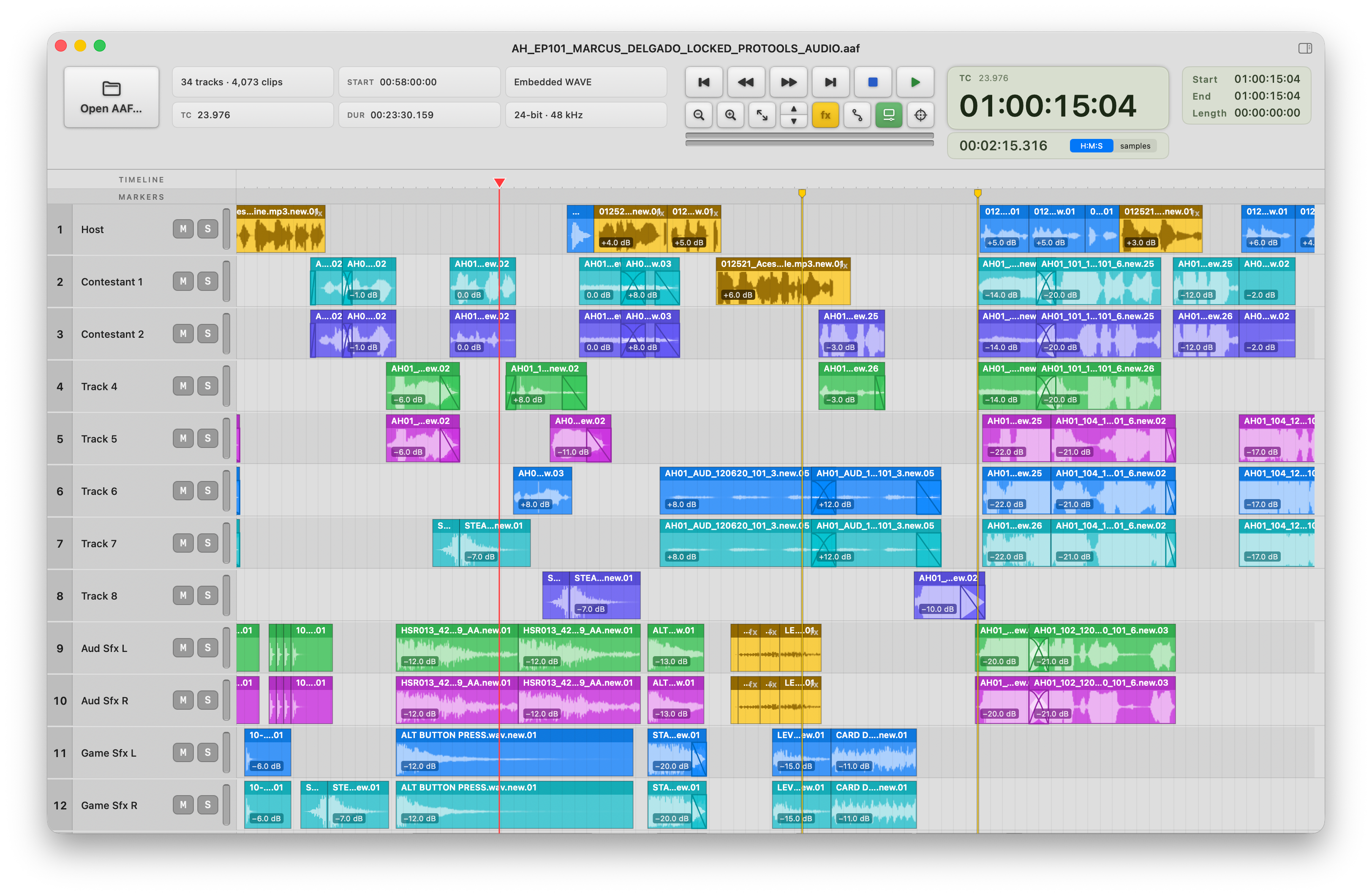
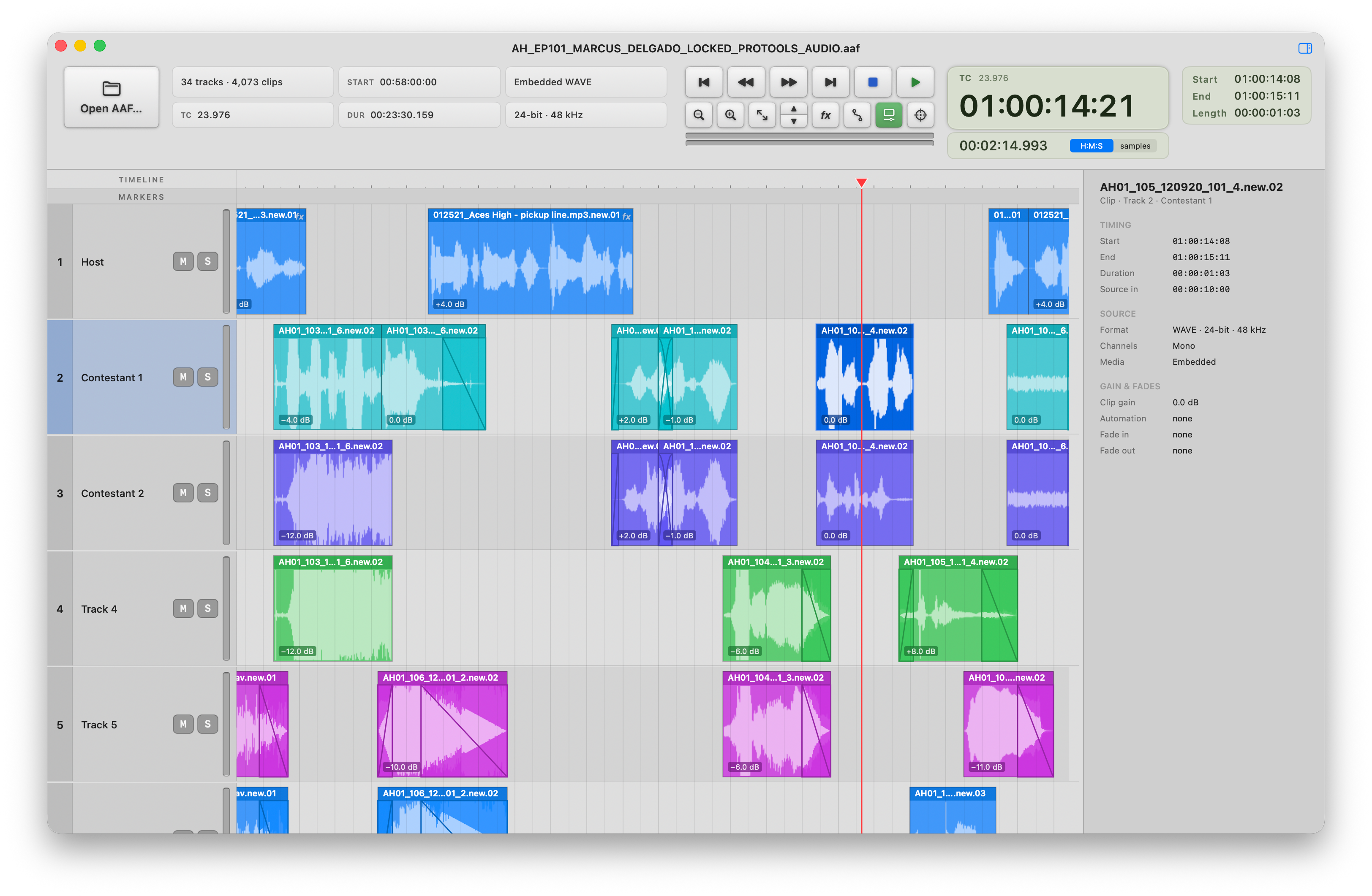
AAF Player plays a 34-track, 4,073-clip turnover on its own timeline, without importing it into a DAW: waveforms, clip gain, crossfades, markers and metering. Download full resolution PNG · 3248 × 2122 · 2.4 MB -
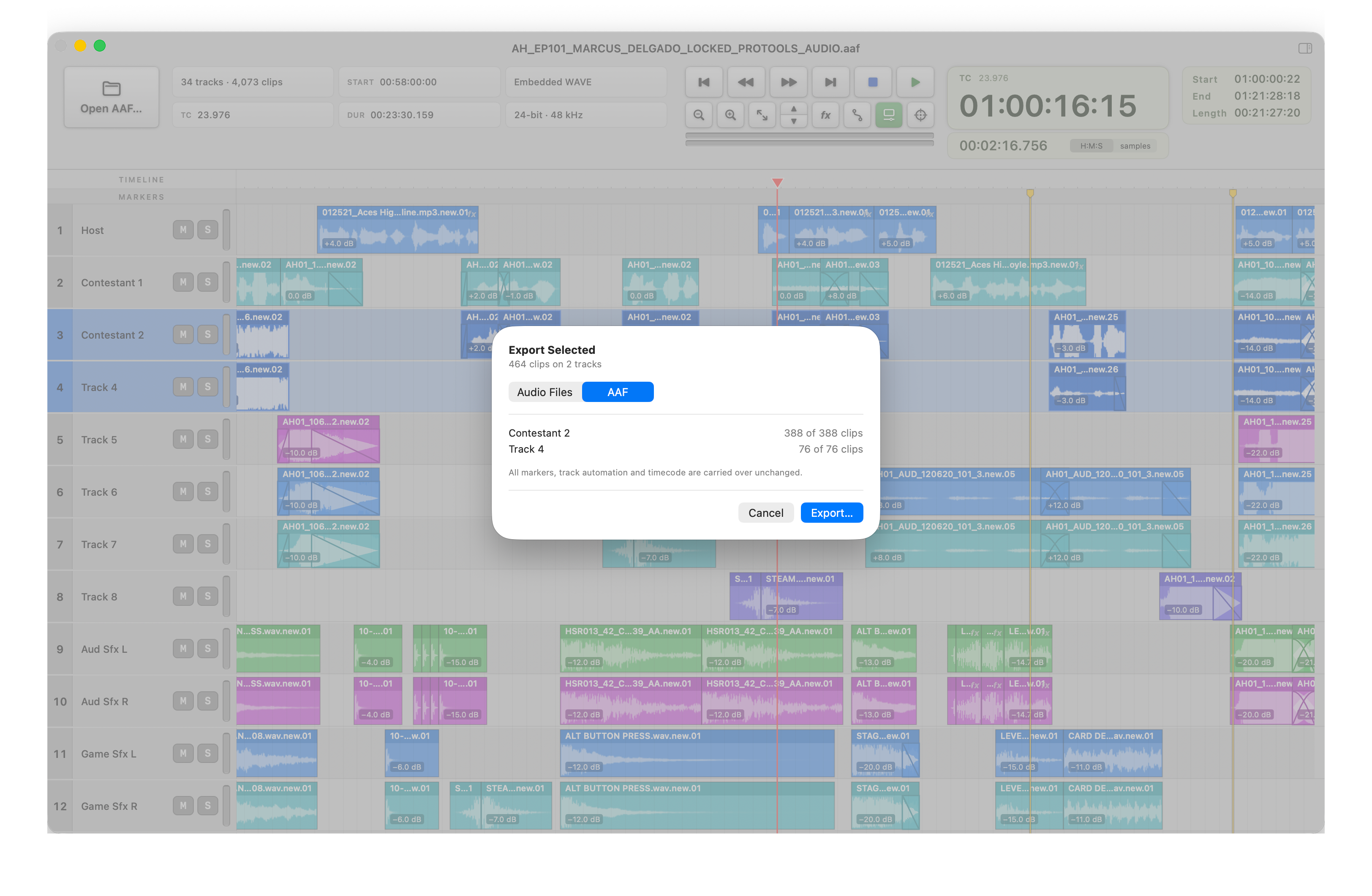
Export Selected as an AAF: a new file holding only the chosen tracks and clips, with markers, automation and timecode carried over unchanged. Download full resolution PNG · 3248 × 2122 · 1.7 MB -
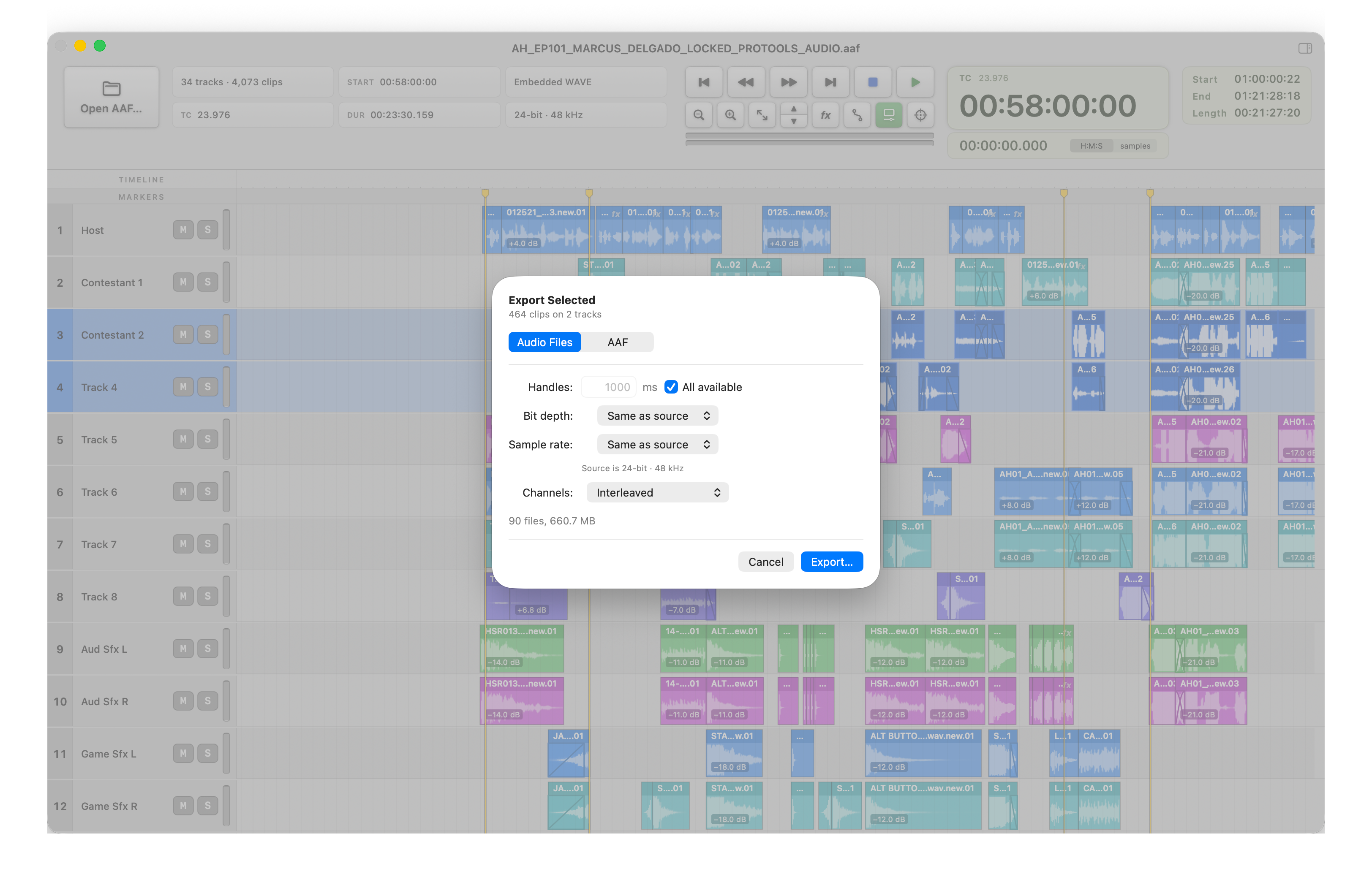
Or export the same selection as dry Broadcast WAVE files, with handles, and bit depth and sample rate matched to the source unless changed. Download full resolution PNG · 3248 × 2122 · 1.6 MB -
Clips carrying a rendered effect are drawn in gold with the rendered audio's own waveform. The fx button switches playback between the rendered audio and the dry source. Download full resolution PNG · 3248 × 2122 · 2.5 MB -
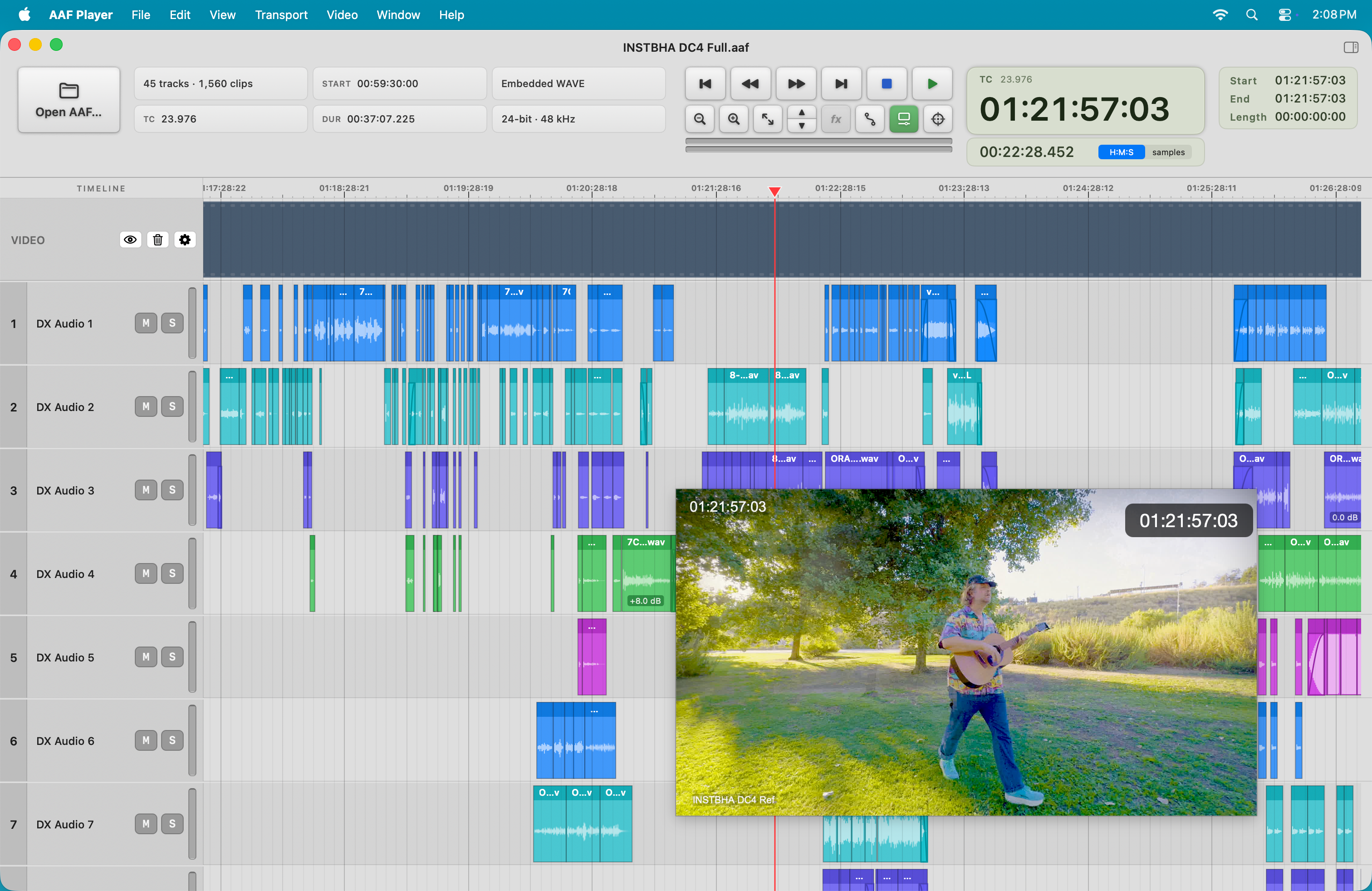
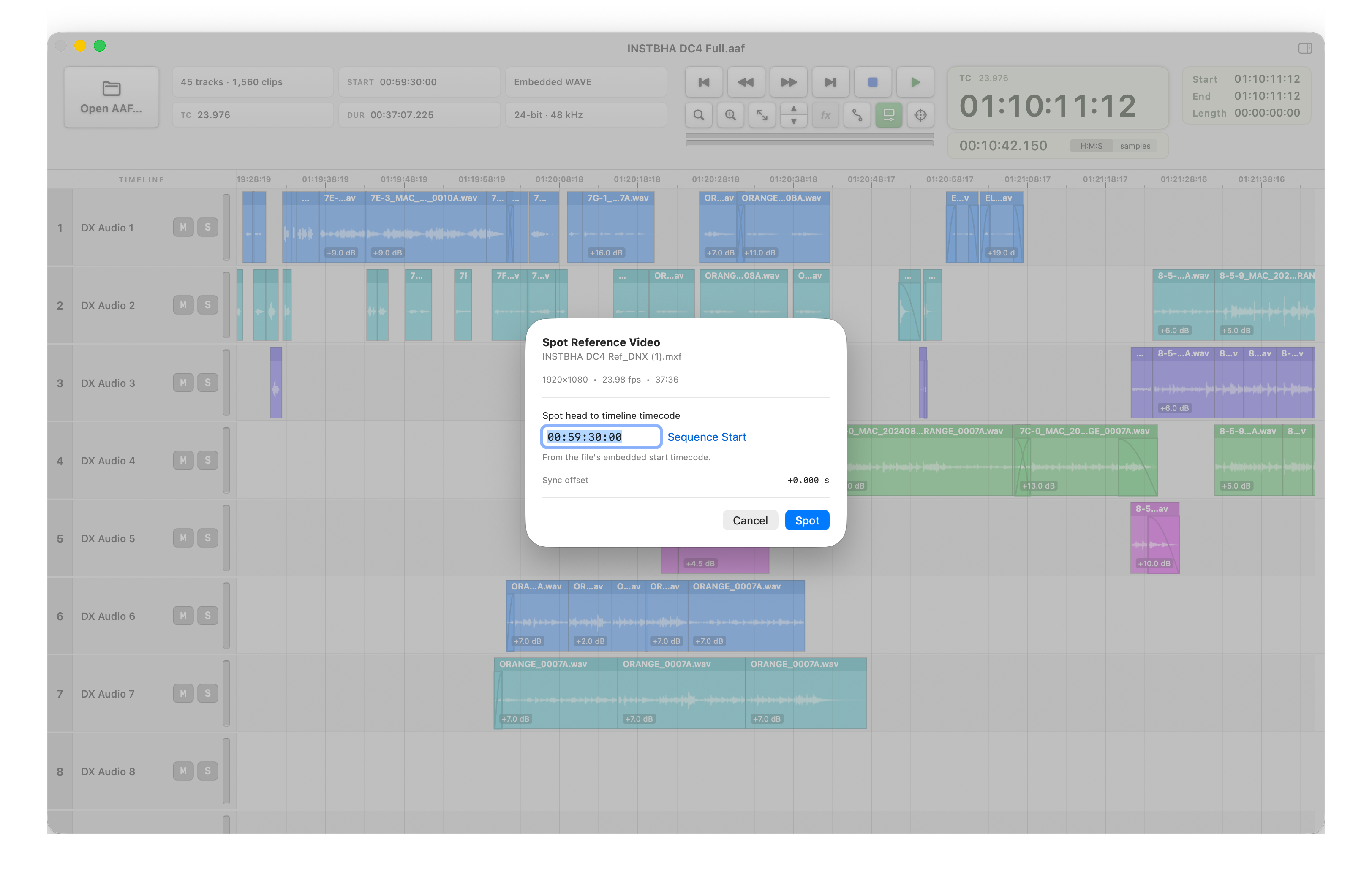
Reference picture follows the transport. The picture's burn-in and AAF Player's counter read the same frame. Reference picture from INSTBHA, written, produced and directed by Eric Wilson, used with permission. Download full resolution PNG · 3024 × 1964 · 3.3 MB
More screenshots (16)
-
The whole workflow: select the AAF, press Space, read the turnover. Download full resolution PNG · 3024 × 1964 · 974 KB -
The same finding in the AAF Look app. View details jumps straight to it. Download full resolution PNG · 1876 × 2120 · 512 KB -
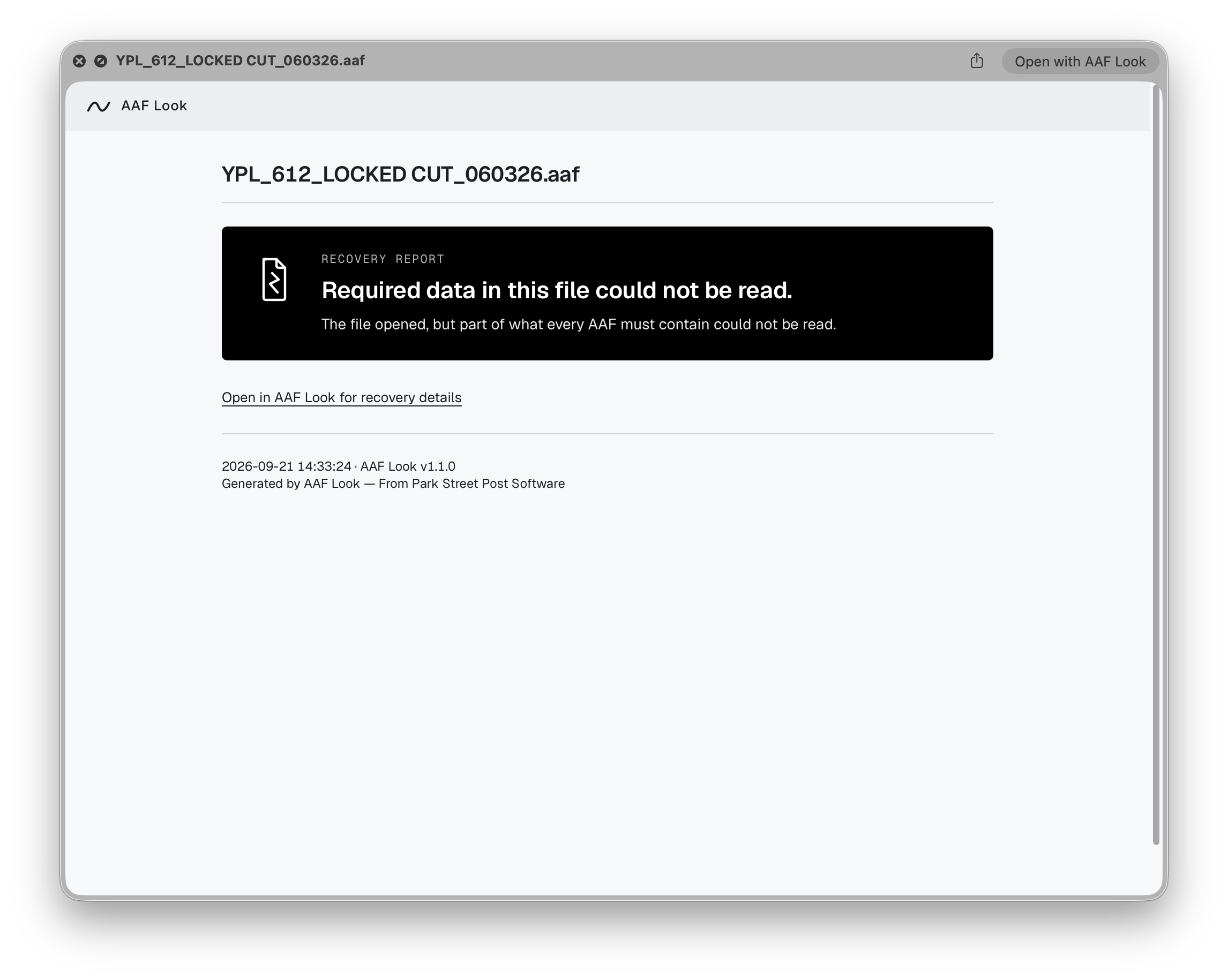
A damaged file reports itself from the Finder too, with a link to the full Recovery Report in the app. Download full resolution PNG · 2292 × 1830 · 131 KB -
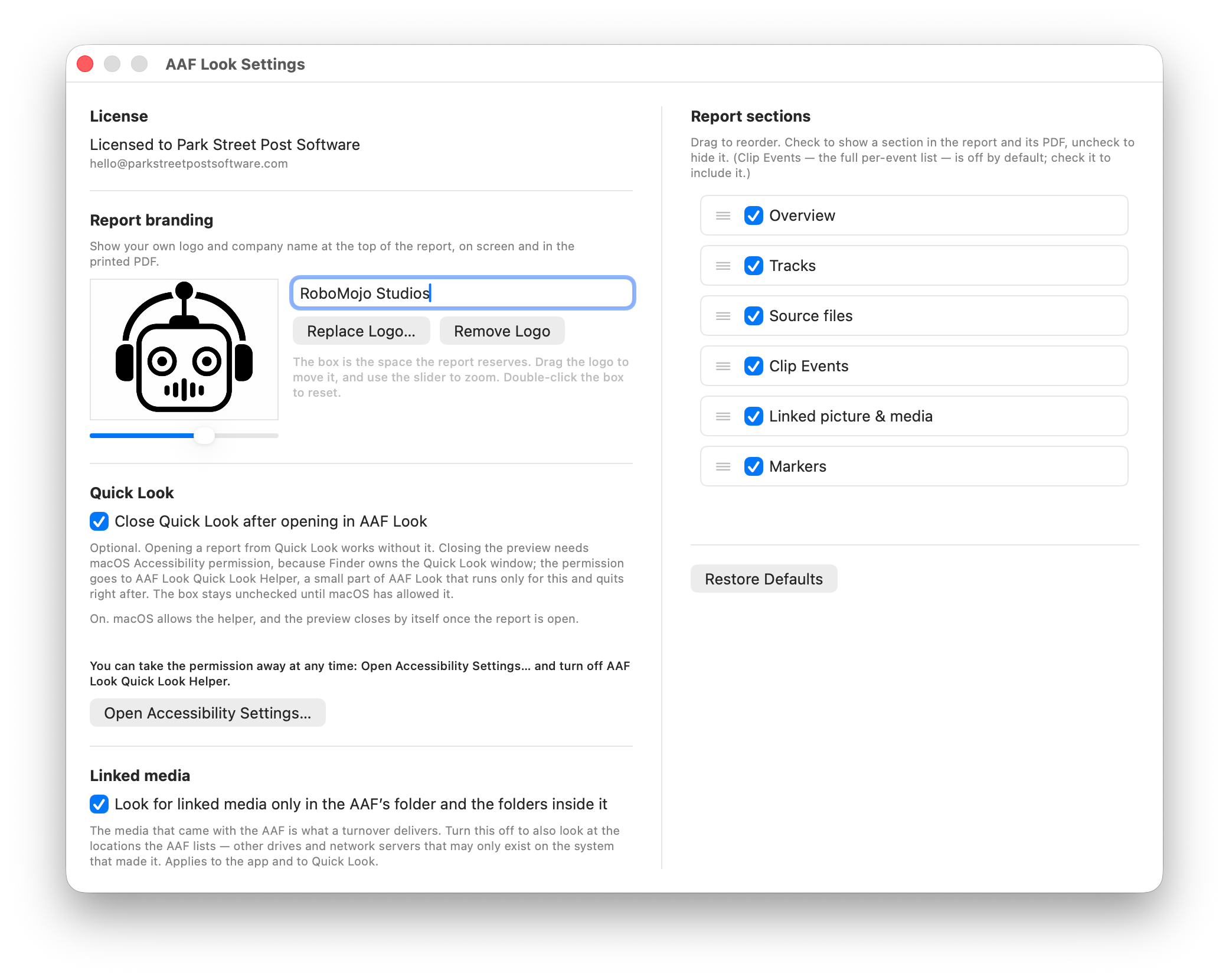
Settings: put your own logo and company name at the top of every report, choose and order the report's sections, and optionally have the Quick Look panel close itself once the report opens in AAF Look. Download full resolution PNG · 2082 × 1660 · 532 KB -
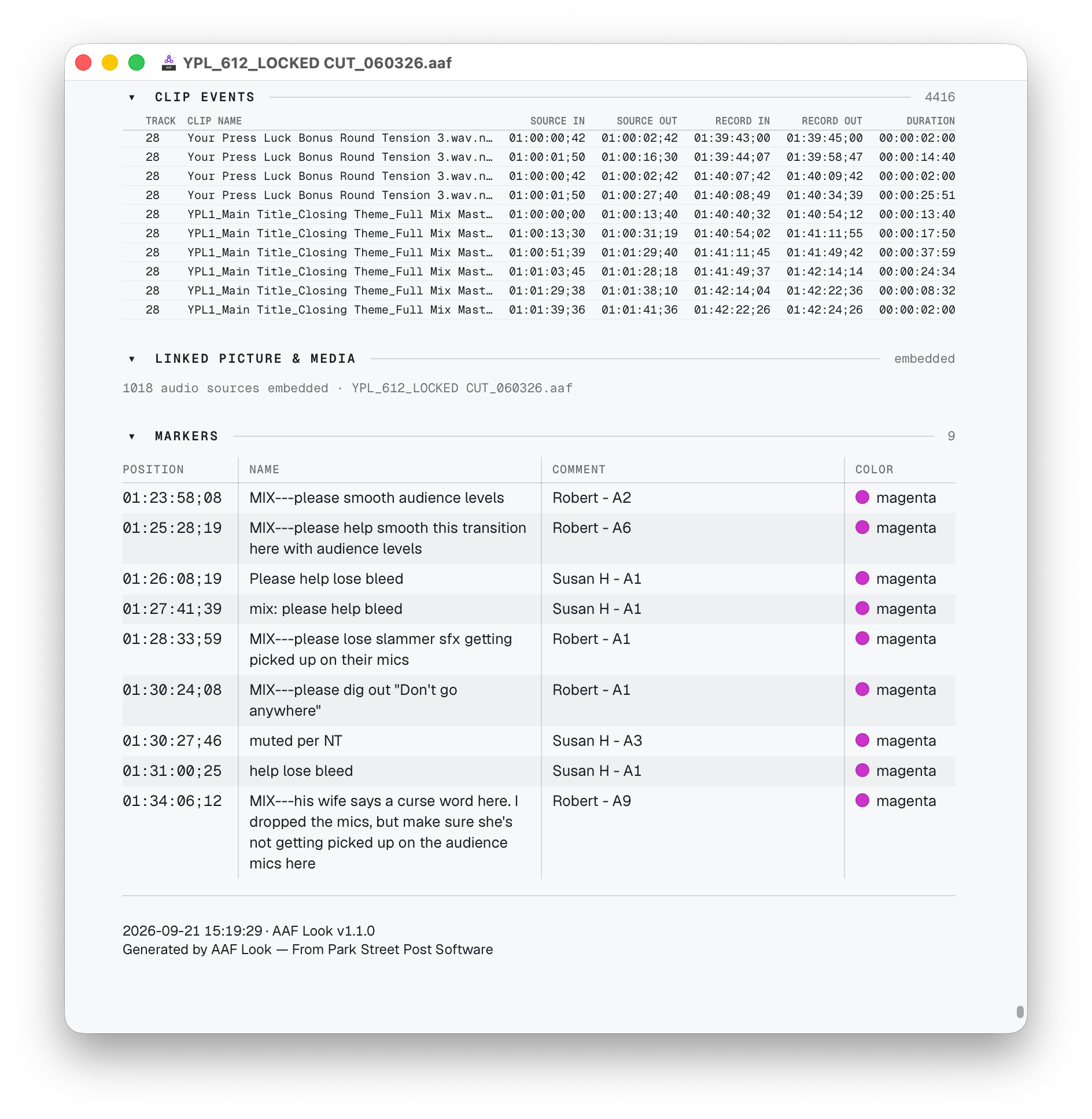
The end of a report: markers with their comments, and the footer stamping the date, time and AAF Look version. Download full resolution PNG · 1888 × 1934 · 555 KB -
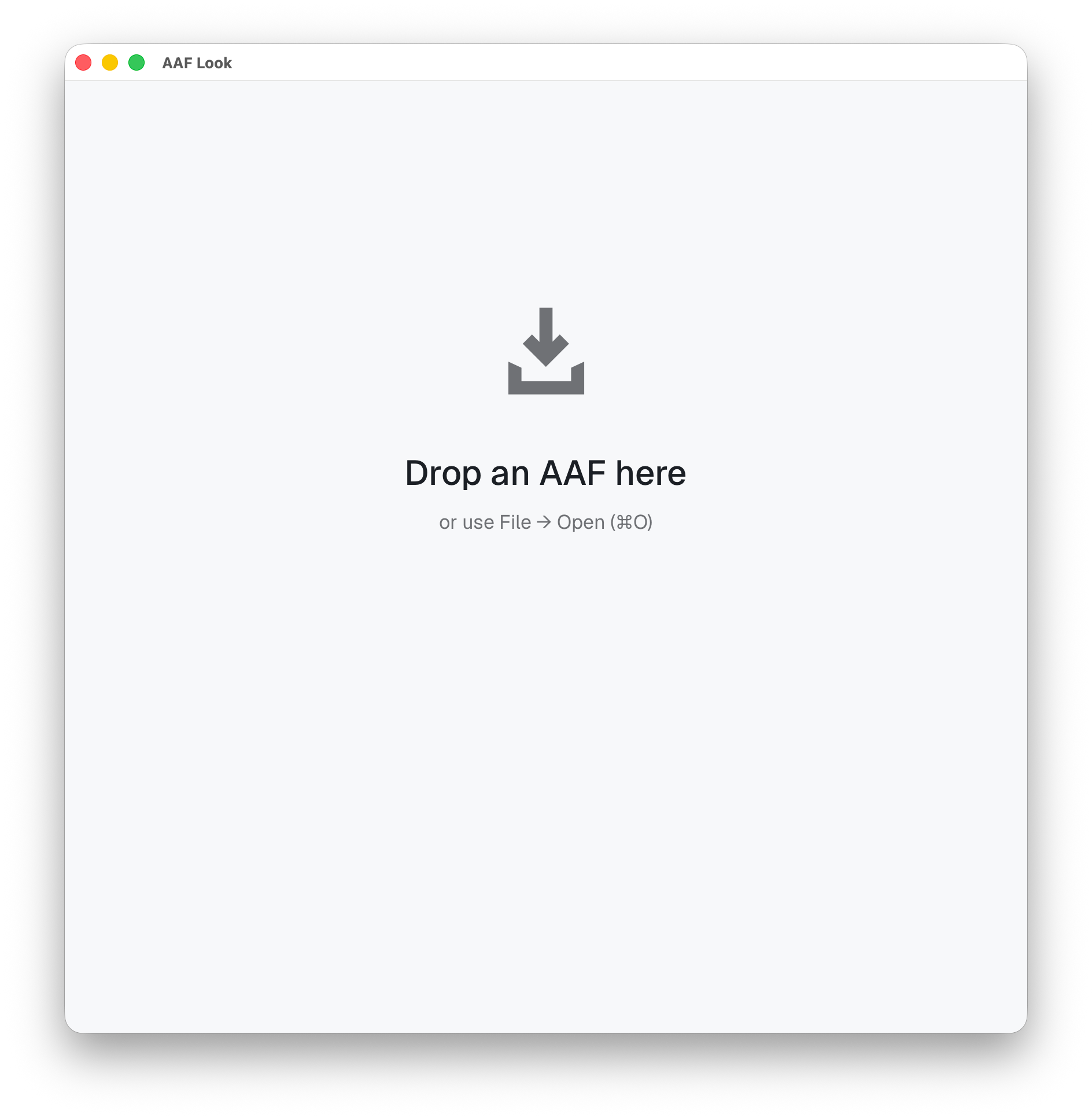
AAF Look opens to one instruction: drop an AAF, or open one from the File menu. Download full resolution PNG · 1888 × 1934 · 237 KB -
The same turnover in the AAF Look app, where the report can be customized, printed and exported. Download full resolution PNG · 1868 × 2122 · 516 KB -
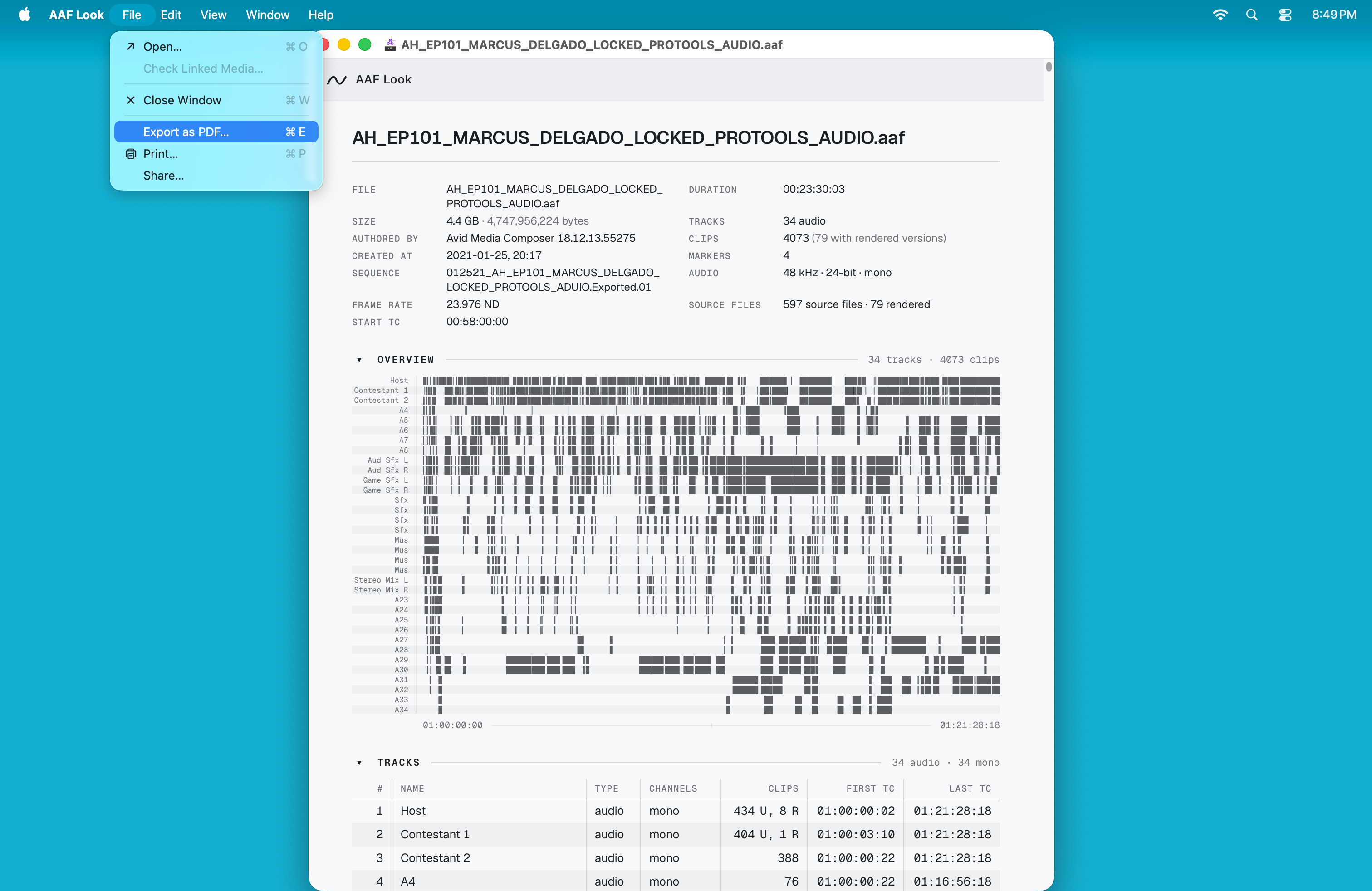
Export as PDF and Check Linked Media sit in the File menu. Download full resolution PNG · 3024 × 1964 · 1.1 MB -
New in 1.1: click a track name to select the whole track. Shift extends a range, Command adds or removes a clip, and box-select works. Download full resolution PNG · 3248 × 2122 · 2.4 MB -
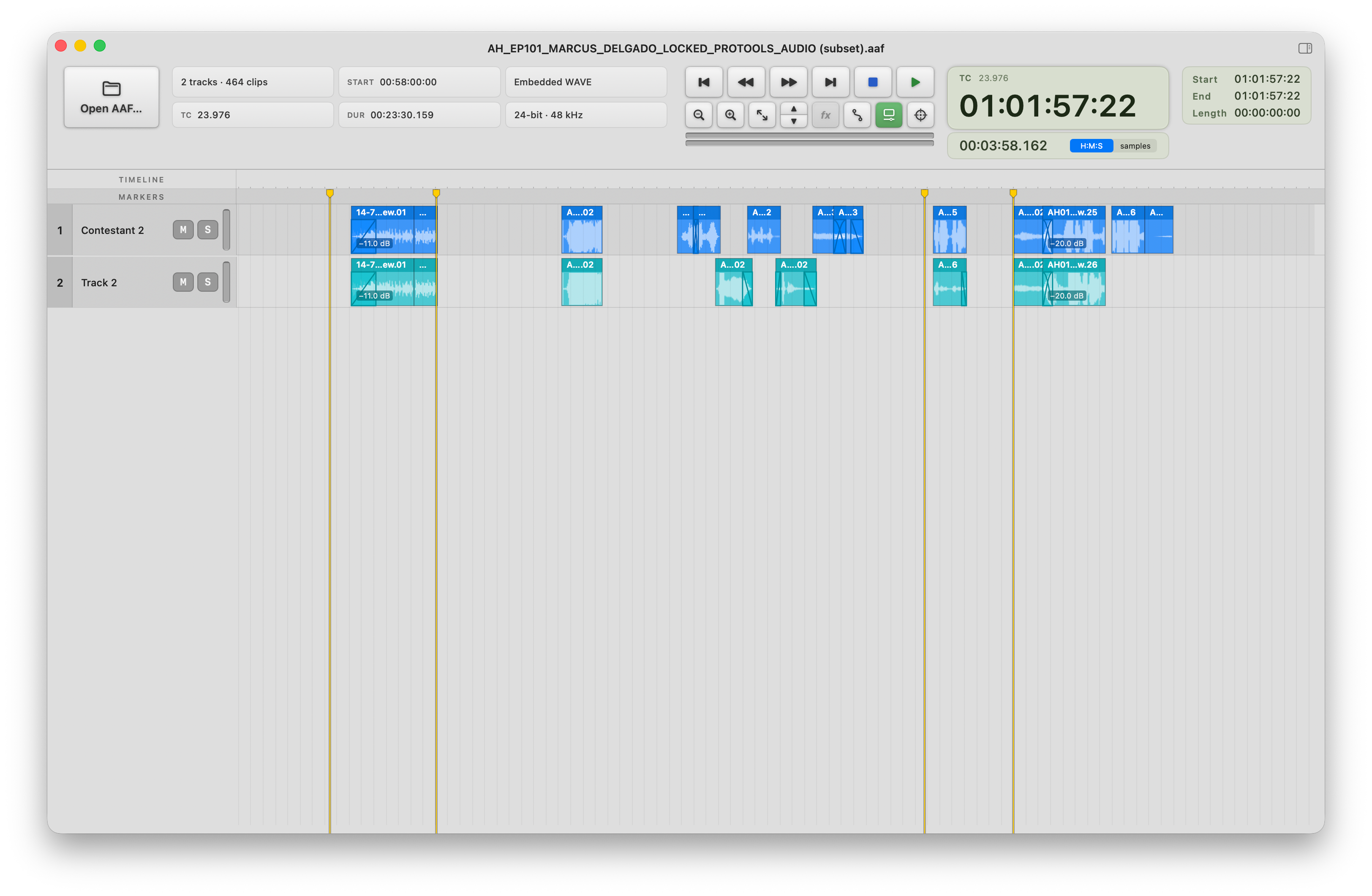
The exported AAF opened as a turnover of its own: two tracks, 464 clips, the original start timecode and markers. Download full resolution PNG · 3248 × 2122 · 1 MB -
Click a clip and the inspector shows where it sits, what it came from, and what is being done to it: format, channels, clip gain, fades. Download full resolution PNG · 3248 × 2122 · 1.8 MB -
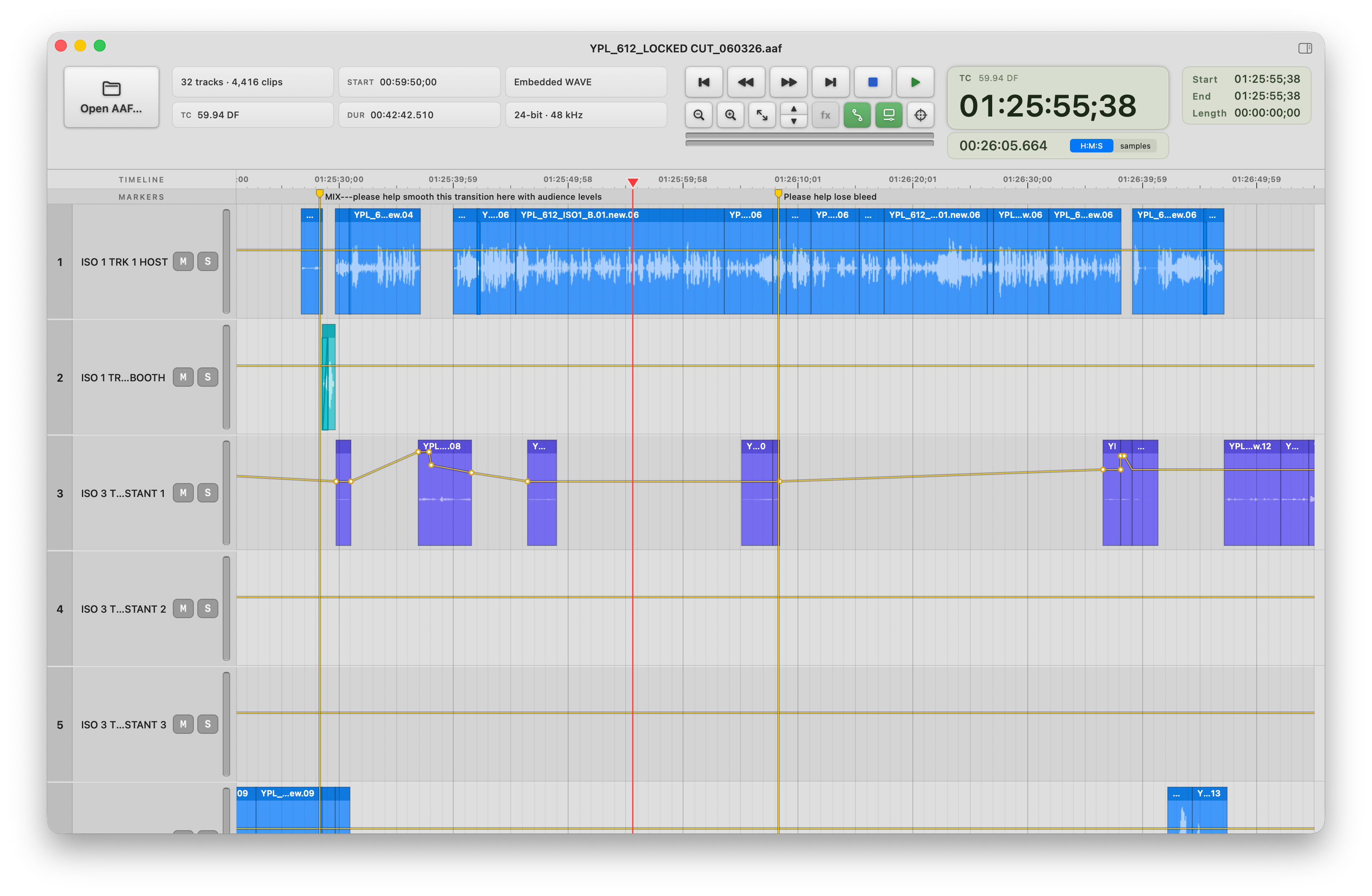
Volume automation draws on every track, and markers carry their comments into the timeline. Download full resolution PNG · 3248 × 2122 · 1.5 MB -
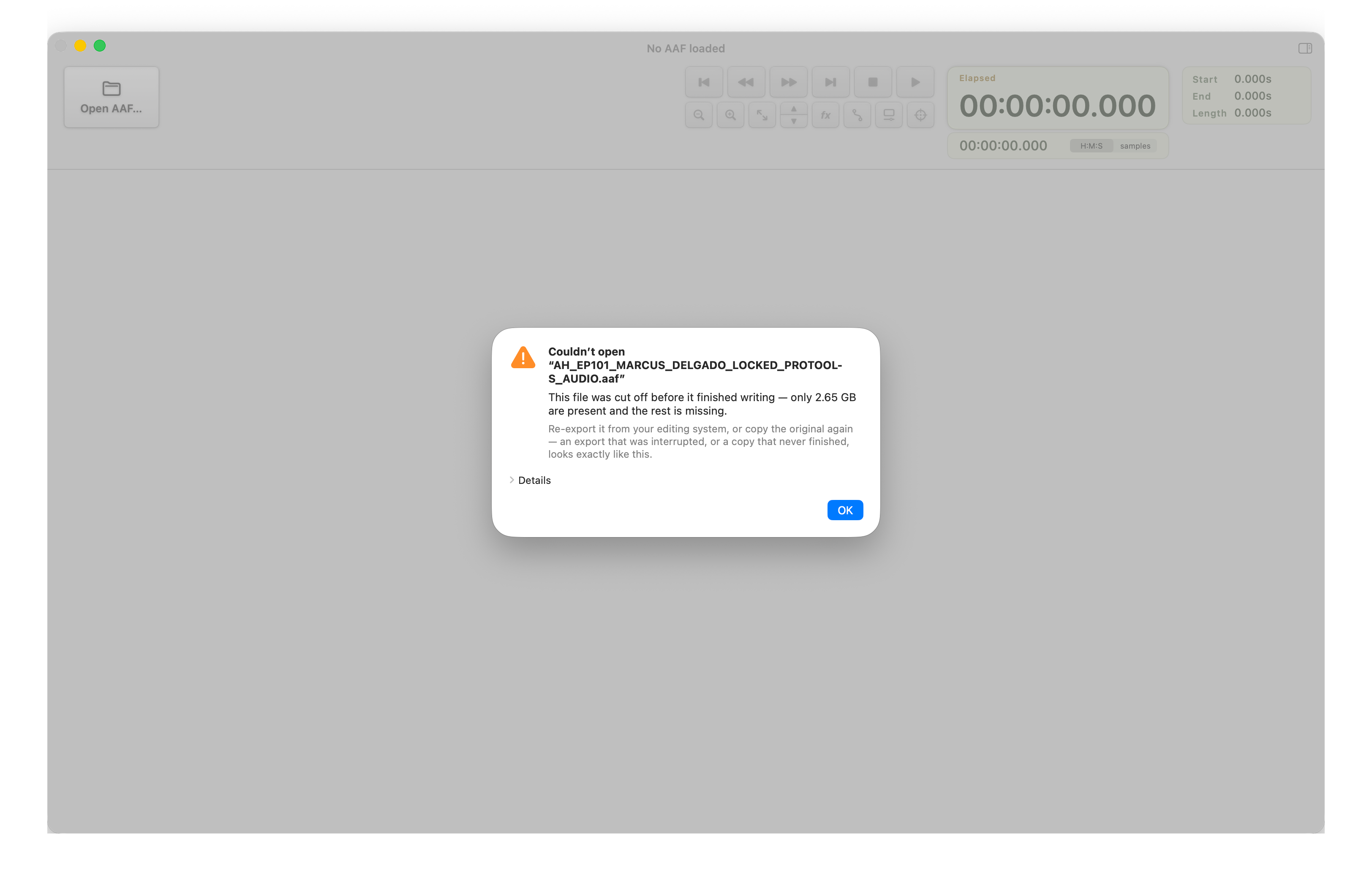
The same incomplete copy opened in AAF Player: it refuses cleanly and says why, instead of opening something partial. Download full resolution PNG · 3248 × 2122 · 300 KB -
Reference picture spots automatically from the movie's own start timecode, or to any timecode typed in. Reference picture from INSTBHA, written, produced and directed by Eric Wilson, used with permission. Download full resolution PNG · 3248 × 2122 · 1.1 MB -
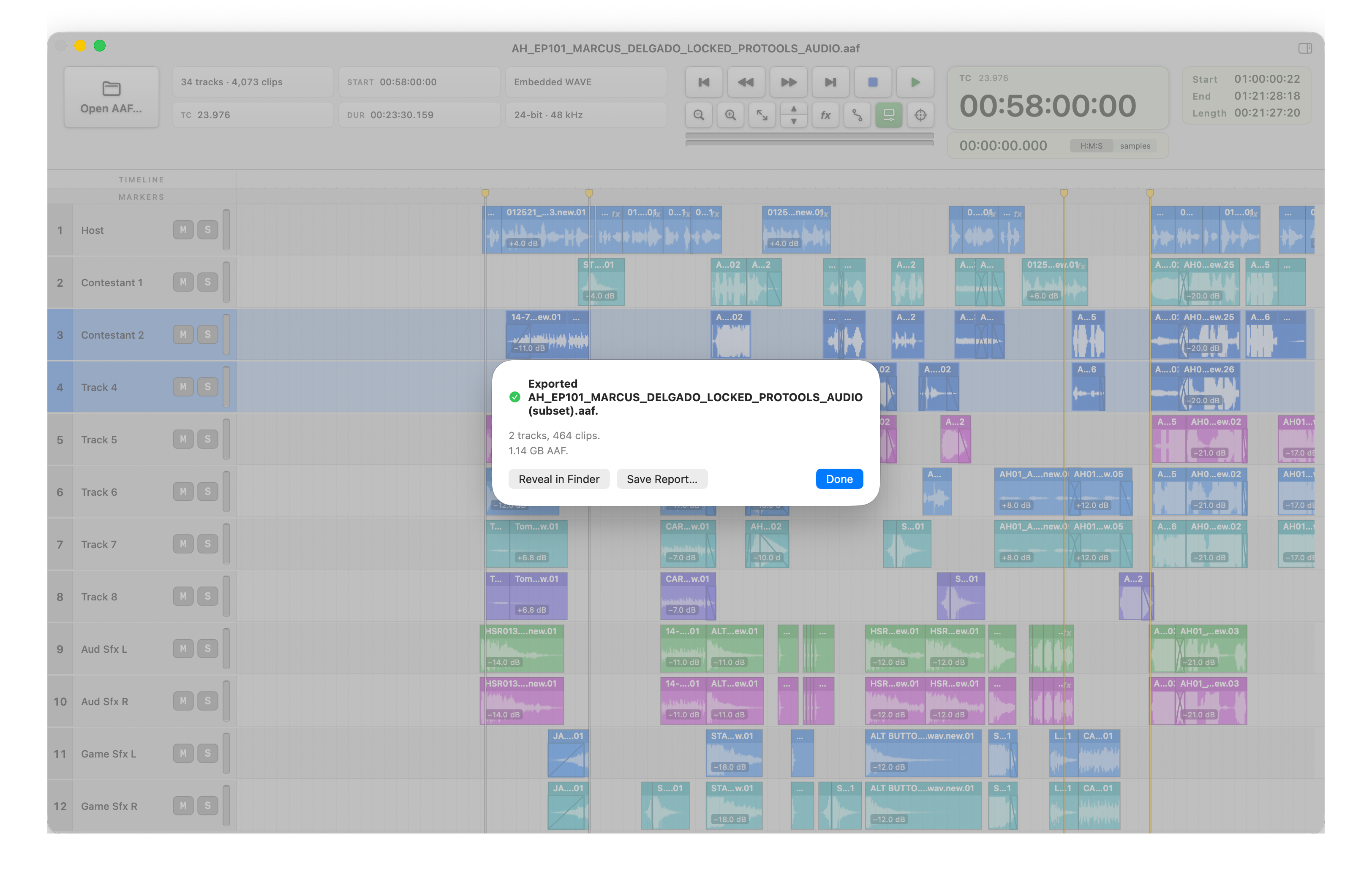
Export done: the new AAF, its track and clip count, and its size, with Reveal in Finder and Save Report. Download full resolution PNG · 3248 × 2122 · 1.6 MB -
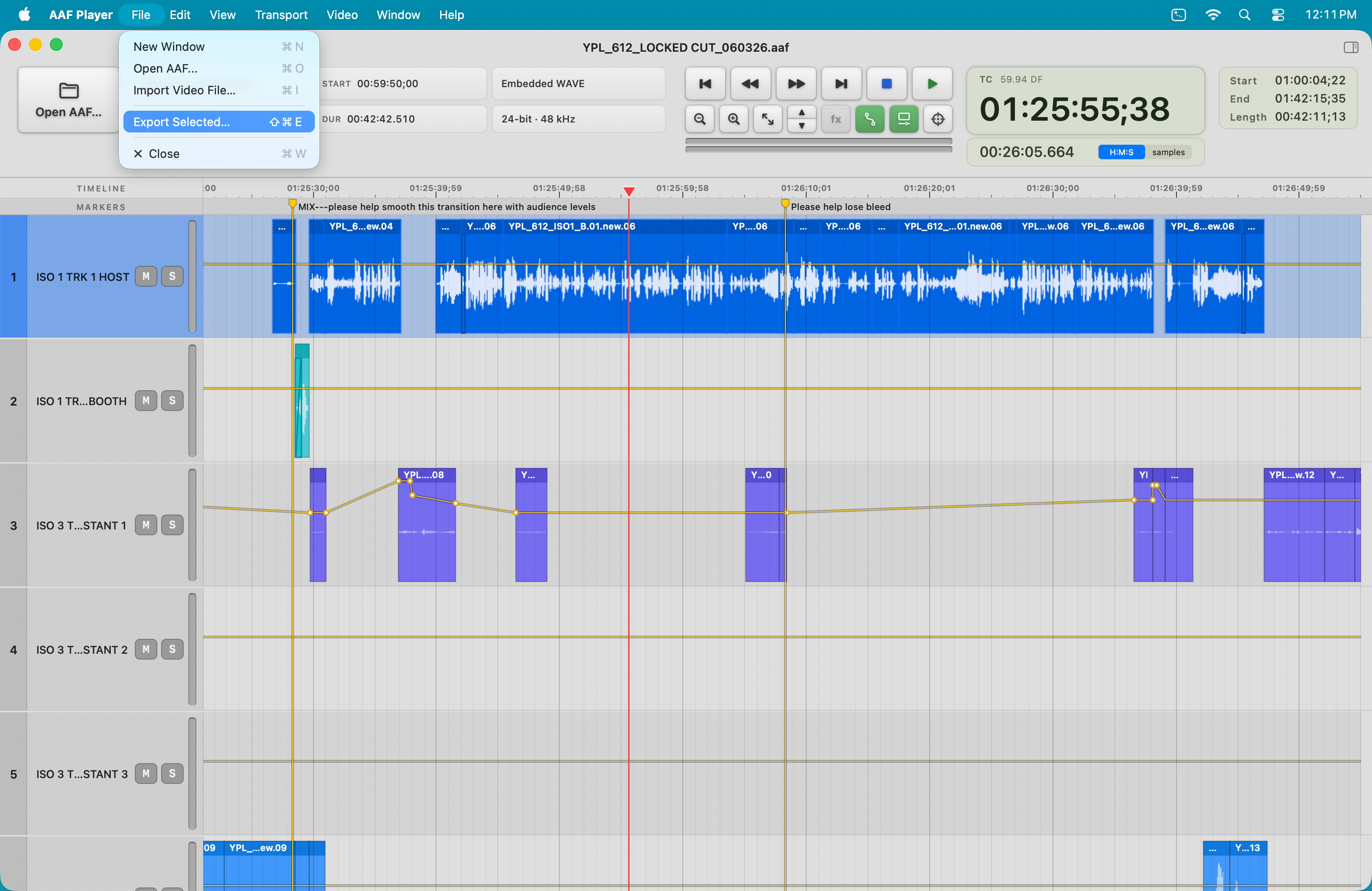
Export Selected lives in the File menu, Shift-Command-E. Download full resolution PNG · 3024 × 1964 · 1.4 MB
Founded by someone who receives the files
Alexey Mohr is a Burbank-based television re-recording mixer and sound editor and the owner of Park Street Post, Inc. He created Park Street Post Software to build the small workflow tools he wanted while receiving and finishing real television turnovers.
Facts and review access
- Company launched August 25, 2026; AAF Look 1.1 and AAF Player 1.1 released September 21, 2026.
- Native macOS applications for Apple silicon.
- macOS 14 or later.
- AAF Look: $20 one-time perpetual license.
- AAF Player: $80 one-time perpetual license.
- Complete 14-day trials.
- No subscription, required account, or required network connection.
- Neither app modifies the AAF or its media. AAF Player's export writes new files to a folder you choose.
Personalized permanent NFR licenses for both apps are available to press and reviewers, with nothing expected in return. Email hello@parkstreetpostsoftware.com.